How to Set Up Tailwind CSS v4 in React + Vite
Set up Tailwind CSS v4 in a React and Vite project in three steps — and understand why the old tailwind.config.js and @tailwind directive approach no longer works.
TL;DR
Run npm install tailwindcss @tailwindcss/vite, add tailwindcss() to the plugins array in vite.config.js, and put @import "tailwindcss"; in src/index.css. Tailwind v4 removed tailwind.config.js, the PostCSS config, the init command, and the @tailwind directives — configure colours and fonts in a @theme block instead.
Step-by-step.
Setting up Tailwind CSS in a React and Vite project takes three steps and about sixty seconds — install two packages, add one plugin to your Vite config, add one line to your CSS file.
If you have followed an older tutorial and hit errors, that is because Tailwind CSS v4 changed the installation completely. There is no tailwind.config.js, no PostCSS config, and no @tailwind directives any more.
The Short Answer
To set up Tailwind CSS v4 in a React and Vite project:
Install the packages:
npm install tailwindcss @tailwindcss/vite
Add the plugin to vite.config.js:
Replace the contents of src/index.css with a single line:
Run npm run dev. Tailwind is working.
The rest of this guide explains what changed, why older instructions fail, and how to configure it.
What Changed in Tailwind CSS v4
Tailwind CSS v4 was released in January 2025. It replaced the JavaScript configuration model with a CSS-first one.
Tailwind v3 | Tailwind v4 | |
|---|---|---|
Install command |
|
|
Init step |
| None |
Config file |
| None — configure in CSS with |
PostCSS config |
| Not required with the Vite plugin |
CSS entry |
|
|
Content paths | Declared manually in config | Detected automatically |
Four things that used to be mandatory no longer exist. That is why v3 instructions produce errors rather than a working setup.
Why Is npx tailwindcss init -p Not Working?
Because the command was removed in Tailwind v4. There is no init step and no config file to generate.
If you run it, you will get an error saying the command does not exist. Nothing is broken — you simply do not need it.
The same applies to tailwind.config.js. Creating one has no effect in v4 unless you explicitly load it, which is only needed when migrating a large v3 project.
Why Are My Tailwind Classes Not Working?
Four common causes, in rough order of likelihood.
You used v3 directives. If src/index.css contains @tailwind base; and the other two directives, replace all three with @import "tailwindcss";.
You did not import the CSS file. Check that src/main.jsx contains import './index.css'. Vite does not load it automatically.
You added the PostCSS plugin instead of the Vite plugin. With Vite, use @tailwindcss/vite in vite.config.js. The @tailwindcss/postcss package is for build tools that are not Vite.
You did not restart the dev server. Changes to vite.config.js require a restart. Hot reload does not pick them up.
How Do I Configure Colors and Fonts in Tailwind v4?
Configuration moved into your CSS file, using the @theme block.
Those definitions generate utility classes automatically. --color-amber produces bg-amber, text-amber, border-amber, and every other colour utility.
The naming prefix determines the utility family. --color-* generates colour utilities, --font-* generates font-family utilities, --spacing-* generates spacing, --breakpoint-* generates responsive breakpoints.
Because these are real CSS custom properties, you can also read them anywhere in your stylesheet with var(--color-amber), and inspect them in browser devtools. That was not possible with the JavaScript config.
Do I Still Need content Paths in Tailwind v4?
No. Tailwind v4 detects your source files automatically.
It scans your project, respects your .gitignore, and skips binary files. There is no content array to maintain and no more classes silently missing because a folder was not listed.
If you need to add a source outside the default detection — a component library in a separate package, for example — use the @source directive:
Which Browsers Does Tailwind CSS v4 Support?
Tailwind v4 requires Safari 16.4, Chrome 111, and Firefox 128 or later. All three were released in 2023 or earlier.
This is stricter than v3 because v4 is built on modern CSS features — cascade layers, @property, and color-mix() among them.
If you must support older browsers, stay on Tailwind v3.4. There is no v4 configuration that lowers the requirement.
Adding an Editor Plugin
Install the Tailwind CSS IntelliSense extension in VS Code. It gives you class autocomplete, hover previews of the underlying CSS, and warnings on conflicting classes.
With v4 it reads your @theme block directly, so custom colours appear in autocomplete with the right swatches.
Also add the Prettier plugin for class sorting:
npm install -D prettier prettier-plugin-tailwindcss
It orders utility classes consistently, which keeps diffs readable when several people work on the same components.
Migrating an Existing Project from v3 to v4
Tailwind provides an automated upgrade tool:
npx @tailwindcss/upgrade
It requires Node.js 20 or higher. It converts your config to @theme, updates the CSS directives, and renames utilities that changed.
Run it on a clean branch and review the diff. A few things it cannot fully handle:
Renamed utilities — shadow-sm became shadow-xs, and the old shadow is now shadow-sm. Similar shifts affect rounded and blur.
Removed opacity shorthands — bg-black/50 still works, but the older bg-opacity-50 pattern does not.
Any custom plugin written against the v3 JavaScript API will need rewriting.
For a small project, a manual migration is often faster than reviewing the tool's output.
Where This Fits in a Real Project
Tailwind handles styling. What determines whether a codebase stays maintainable is the layer above it — a component library with consistent variants, design tokens that match what your designers use in Figma, and a review habit that stops one-off utility strings accumulating in JSX.
Our team builds and ships production React and Next.js interfaces for client software, including design system work and Figma-to-code delivery. You can see the stack we work across on our technologies page and browse shipped work in our projects portfolio.
If you are still setting up, the React with TypeScript tutorial covers project creation with Vite. For deployment, the React on Netlify guide handles hosting, and the NVM on Windows tutorial covers Node version management.
More walkthroughs are on the tutorials hub, and longer technical writing lives on the blog.
Frequently asked.
How do I install Tailwind CSS in a React Vite project?+
Run npm install tailwindcss @tailwindcss/vite, add tailwindcss() to the plugins array in vite.config.js, then replace the contents of src/index.css with @import "tailwindcss";. Restart the dev server and Tailwind is active.
Why does npx tailwindcss init -p not work?+
The command was removed in Tailwind CSS v4. There is no init step and no tailwind.config.js to generate. Configuration now happens in CSS using a @theme block.
Why are my Tailwind classes not applying?+
Most often the CSS file still uses the v3 directives @tailwind base, @tailwind components, and @tailwind utilities. Replace all three with @import "tailwindcss";. Also check that main.jsx imports the CSS file and that you restarted the dev server after editing vite.config.js
How do I add custom colors in Tailwind CSS v4?+
Define them as CSS variables inside a @theme block in your main CSS file. A variable named --color-amber automatically generates bg-amber, text-amber, and the rest of the colour utilities.
Do I still need to configure content paths in Tailwind v4?+
No. Tailwind v4 detects source files automatically and respects your .gitignore. Use the @source directive only to include files outside normal detection, such as a component library in node_modules
Should I use the Vite plugin or the PostCSS plugin?+
Use @tailwindcss/vite for Vite projects — it is faster and needs no PostCSS config. Use @tailwindcss/postcss only with build tools that are not Vite.
Have a project in mind?
Our team has shipped production software for client apps — from initial integration to scaling, caching and cost optimisation. We’d love to help.
Continue with Tutorials.
View all tutorials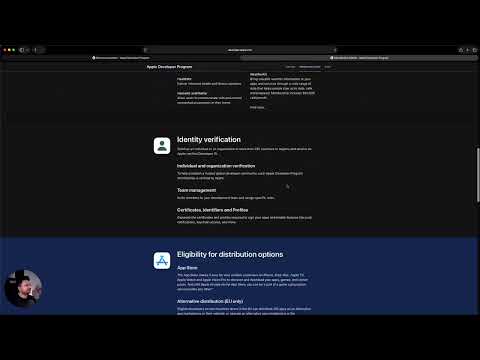 Apple Developer Account
How to Enroll in the Apple Developer Program (Step-by-Step)
Publishing an app on the App Store requires an Apple Developer Program membership. It costs 99 USD per year and enrollment takes anywhere from a day to several weeks. The length of that range depends almost entirely on one choice you make at the start: individual or organization. Get it wrong and you either wait weeks you did not need to, or ship an app with the wrong name on it permanently. Individual or Organization: The Decision That Matters Both cost the same. The difference is what customers see and what you can do. Individual Organization Seller name on the App Store Your personal legal name Your company name D-U-N-S Number required No Yes Team members in App Store Connect No — one Apple ID only Yes, with role-based access Typical approval time Hours to a few days One to several weeks Requirements Apple ID with two-factor authentication Registered legal entity, D-U-N-S Number, legal authority to sign The seller name is the part people regret. On an individual account, your legal name appears on your App Store listing where the developer name goes. Every customer sees it. There is no setting to display a company name instead. If you are building something under a brand, and particularly if you might sell the app or take on investors, enroll as an organization. Switching afterwards is not a settings change — it involves a separate enrollment and transferring your apps across. Individual enrollment is right for a personal project, a portfolio piece, a freelancer publishing under their own name, or anything you need live quickly. What You Need Before Starting For individual enrollment: an Apple ID with two-factor authentication enabled, and a payment method. That is it. A Managed Apple ID issued by a school or employer will not work. For organization enrollment: a legal entity registered in your country — a sole trader or DBA is generally not sufficient. A D-U-N-S Number for that entity. A public website on your company's domain. And you must have legal authority to bind the organization, or an authorised person available to confirm it. Getting a D-U-N-S Number A D-U-N-S Number is a nine-digit business identifier issued by Dun & Bradstreet. Apple uses it to verify your company exists. It is free. Apple provides a lookup tool that checks whether your company already has one — many registered businesses do without knowing it. If you do not have one, request it through Apple's lookup form rather than paying Dun & Bradstreet for expedited service. Turnaround is usually a few business days, though it can take longer in some countries. The details you register — legal entity name, address, phone number — must match your Apple enrollment exactly. A mismatch between your D-U-N-S record and what you type into Apple's form is the most common cause of a rejected organization enrollment. Not a wrong address; a differently formatted one. Step 1: Start Enrollment Individual enrollment now runs through the Apple Developer app on an iPhone or iPad in most regions, because it uses the device for identity verification. Download the app, sign in with your Apple ID, and choose Enroll. Organization enrollment can be completed on the web at developer.apple.com/programs/enroll. Either way, sign in with the Apple ID that will own this account. Choose carefully — this becomes the Account Holder, and moving it later is administratively painful. Use a company-controlled address such as appstore@yourcompany.com rather than a personal one or an individual employee's. Step 2: Provide Your Details For individuals, this is identity verification. You may be asked to scan a government ID. For organizations, you enter your legal entity name, D-U-N-S Number, address, and website. Enter these exactly as they appear on your D-U-N-S record. Apple may telephone the number on your D-U-N-S record to confirm your authority to enrol. Make sure someone answers it and knows the call is coming. Step 3: Pay and Wait The fee is 99 USD per year, or the local equivalent, and it renews automatically. Local taxes may apply on top. Individual enrollment often completes within 24 to 48 hours. Organization enrollment commonly takes one to two weeks and occasionally longer if verification stalls. If you are working to a launch date, start this before you start building. Waiting on Apple with a finished app is a bad place to be. Step 4: Add Your Team This is where organization membership earns its keep, and it is what the video refers to when it mentions sharing access. In App Store Connect, go to Users and Access and invite people by email. Each gets a role: Account Holder — one person, owns the membership and handles renewal. Admin — full access including user management and agreements. App Manager — manages apps and submits builds, no financial or legal access. Developer — uploads builds and manages certificates. Marketing — edits metadata and screenshots only. Finance — sees reports and payments only. Give an external developer or agency the App Manager or Developer role, not Admin. They can build and ship without touching your agreements, banking details, or user list. This is the same principle as scoped registrar access — the client owns the account, the agency gets what it needs. Individual accounts have no roles at all. One Apple ID, no delegation. If you plan to work with anyone else, that limitation arrives fast. Trader Status for the EU Since February 2025, anyone distributing apps in the European Union must declare trader status under the Digital Services Act and provide contact details that Apple displays publicly on the App Store listing. If you do not complete this, your apps are removed from EU storefronts. It applies to individual accounts too, and the required contact details become public. Complete it in App Store Connect under Business, then Trader Status, before you plan an EU release. Common Enrollment Problems Organization enrollment rejected, details do not match. Your D-U-N-S record differs from what you entered. Even formatting differences count. Look up your record, then copy it verbatim. Apple cannot verify your website. It must be live, on your company's own domain, and clearly associated with the legal entity name. A Linktree or a social profile will not do. Cannot enroll on the web as an individual. Expected in most regions now. Use the Apple Developer app on an iPhone or iPad. Two-factor authentication cannot be enabled. You are using a Managed Apple ID. Create a standard personal Apple ID instead. Enrolled but cannot submit an app. Outstanding agreements. Check Business, then Agreements, in App Store Connect. Paid apps additionally require complete banking and tax details. Membership expired and apps disappeared. The App Store removes apps when membership lapses. Renewal restores them, but the outage is real. Keep the payment method current. Where This Fits in a Real Project Enrollment is the administrative front end of shipping to iOS. Behind it sit certificates, provisioning profiles, TestFlight distribution, App Store review, and a release process that does not depend on one person's laptop. Our team ships production iOS apps for clients — several are live on the App Store, including restaurant ordering, events, and directory apps. We work inside the client's own developer account with a scoped role rather than holding the membership ourselves, so the client owns their listings. You can see how we work on our work process page and browse shipped apps in our portfolio . For the equivalent on the domain side, the GoDaddy delegate access guide covers granting scoped registrar access without sharing credentials. More walkthroughs are on the tutorials hub , and longer technical writing lives on the blog .
 Craxinno Technologies
How to Grant Delegate Access to Developers in GoDaddy
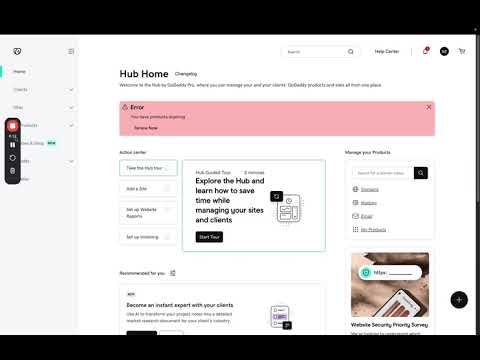
Your developer needs to update DNS records. The obvious move is to send them your GoDaddy login. Do not. Sharing a password means they can see your billing, your other domains, and every product on the account — and if two-factor authentication is enabled, it will not work for them anyway. GoDaddy Delegate Access solves this properly. Your developer signs in with their own credentials and sees only what you allowed. You can revoke it in two clicks when the project ends. What Is GoDaddy Delegate Access? Delegate Access lets you invite another GoDaddy user to manage parts of your account without giving them your password. They log in as themselves. Their actions are attributable to them. Nothing about your credentials changes, and two-factor authentication on your account stays intact. Both parties need a GoDaddy account. Creating one is free — your developer does not need to buy anything. Which Permission Level Should You Choose? This is the decision that matters, and GoDaddy's labels understate the difference. There are three levels: Level What they can do Use when Products & Domains Manage existing domains, DNS records, hosting, and websites. Cannot buy anything. Almost always. This is the right default. Products, Domains & Purchase Everything above, plus buy products and renewals using your stored payment method . Only if you genuinely want them spending on your card. Products, Domains, Purchase & Account Everything above, plus change account settings. Rarely. Effectively a co-owner. Start with Products & Domains. It covers everything a developer normally needs: editing DNS, pointing a domain at a new host, connecting a subdomain, managing SSL. The second level exists for people who should be able to renew a domain without asking you. Granting it means someone else can charge your card. The third level should be reserved for a business partner or an in-house administrator, not a contractor. You can raise the level later if a specific task requires it. Going the other way — realising too late that a contractor could change account settings — is the harder conversation. How to Grant Delegate Access in GoDaddy Sign in to your GoDaddy account. Click your profile in the top right, then Account Settings, then Delegate Access. Under "People who can access my account," click Invite to Access. Enter your developer's name and the email address on their GoDaddy account. This matters — the invitation is tied to that address. If they have a GoDaddy account under a different email, the invite will not connect to it. Choose the access level. See the table above. Click Invite. GoDaddy emails them a link. What Your Developer Does Next They open the email and click the invitation link. If they already have a GoDaddy account, they sign in and accept. If not, they create one first — free, no purchase needed. To use the access afterwards, they sign in to their own GoDaddy account, click their profile, then Account Settings, then Delegate Access, and look under "Accounts I can access." Selecting your account switches them into it. This is the step people get stuck on. The delegate does not receive a special login — they use their own account and switch. If your developer says they cannot find your domain, this is almost always why. How to Revoke Delegate Access Go to Account Settings, then Delegate Access. Find the person under "People who can access my account," click the three dots beside their name, and choose Delete. Access ends immediately. Do this the day a project ends. Delegate access does not expire on its own. Agencies and contractors accumulate access to client accounts they finished with years ago, and nobody notices until there is a reason to look. What Delegate Access Does Not Cover Worth knowing before you assume it is handled. Email mailboxes. Microsoft 365 and Workspace Email accounts bought through GoDaddy are managed separately. A delegate can see the product but not read mail. Some account-level actions remain restricted below the highest permission level, including certain settings changes. Other registrars. If a domain sits with Namecheap or Cloudflare, this does nothing for it. Each registrar has its own mechanism. Your other accounts. Delegate access is per GoDaddy account. If you have several, invite them to each one. Common Problems The invitation never arrived. Check spam. Confirm the email address matches the one on their GoDaddy account exactly. Resend from the Delegate Access page. They accepted but cannot see the domain. They are looking at their own account rather than switching into yours. Point them to Account Settings, then Delegate Access, then "Accounts I can access." They can see the domain but cannot edit DNS. The permission level is too low, or the domain uses external nameservers — in which case DNS is managed wherever those nameservers point, not at GoDaddy. The invite link expired. Invitations time out. Send a new one. They cannot buy or renew. Expected on Products & Domains. Either handle the purchase yourself or raise the level deliberately. Better Practice for Agencies and Clients If you are the developer asking a client for this, ask for the lowest level that does the job, and say why. "Products & Domains is enough — I do not need purchase rights" builds more trust than accepting full access without comment. If you are the client, grant one delegate per person rather than one shared account for a team. Attribution is the whole point. And put an end date on it. When the engagement finishes, revoking access should be on the same checklist as the final invoice. Where This Fits in a Real Project Access management is a small piece of a handover that usually goes badly. The larger question is who owns the domain, the hosting, the repository, the analytics, and the DNS at the end of a project — and whether any of it depends on a contractor's personal account. Our team works inside client infrastructure regularly, and we ask for scoped access rather than credentials as a matter of course. You can see how we work on our work process page and browse shipped projects in our portfolio . If you are configuring DNS once access is granted, the SendGrid on GoDaddy guide covers the record setup, and the SSL certificate guide handles TLS on the server behind it. More walkthroughs are on the tutorials hub , and longer technical writing lives on the blog .
 AWS
AWSHow to Upload Files to AWS S3 and Generate Shareable Links
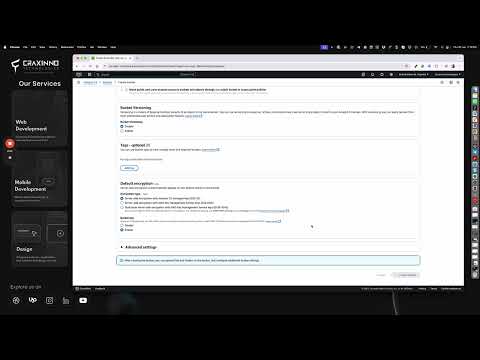
You need to get a file to someone. It is too big for email, and you would rather not put it in a public folder. S3 handles this well. Upload the file, generate a pre-signed URL, and the recipient downloads it through a link that stops working after a set time. No AWS account needed on their end. The part worth understanding before you start is what that link actually protects against — and what it does not. What a Pre-Signed URL Is, and What It Is Not A pre-signed URL is a normal S3 object URL with your credentials' signature attached as query parameters. S3 checks the signature, confirms it has not expired, and serves the file. It is time-limited. After expiry, the link returns an error. It is not access-controlled. Anyone holding that URL can use it. There is no login, no identity check, no way to tell who downloaded it. If your recipient forwards the email, pastes it in a group chat, or the link ends up in a support ticket, it works for everyone who sees it. So treat a pre-signed URL as a secret. Short expiry for anything sensitive. And for genuinely confidential material, a link is the wrong mechanism — use IAM permissions and named accounts instead. That said, for sending a client a build, a video file, or a large export, it is exactly the right tool. Step 1: Create a Bucket Open the S3 console and click Create bucket. Name. Globally unique across all of AWS, lowercase, no underscores. Someone has already taken files and uploads . Use something like craxinno-client-deliverables . Region. Pick one close to whoever downloads most often. It affects speed and transfer cost. Block Public Access. Leave all four settings enabled. This is on by default and should stay that way — pre-signed URLs work regardless, because the signature grants access rather than the bucket policy. Object Ownership. Leave as Bucket owner enforced, the default. ACLs are disabled and you do not need them. Encryption. Server-side encryption with S3-managed keys is on by default. Fine for most purposes. Use KMS if you need audit trails on key usage. Create the bucket. Step 2: Upload Open the bucket, click Upload, then drag your files in or use Add files. Folders keep their structure. S3 has no real folders — the path becomes part of the object key — but the console displays it as a hierarchy, which is close enough. Under Properties, you can set a storage class. Leave it as Standard for anything you are about to share. The cheaper classes carry retrieval delays or minimum storage durations, which makes them wrong for a file someone is downloading this week. Click Upload. Browser uploads are fine up to a few gigabytes. Beyond that, use the CLI — the console upload will fail on a dropped connection and start over. Step 3: Generate the Link in the Console Select the object, click the Actions dropdown, and choose Share with a pre-signed URL. Set a duration. Copy the URL. Test it in a private browsing window before sending. That confirms the link works without your logged-in session, which is exactly how your recipient will experience it. Why the Console Caps You at 12 Hours Try to set a longer duration in the console and you cannot. There is no hidden setting. The reason is that the console signs the URL with temporary session credentials, and a pre-signed URL cannot outlive the credentials that signed it. Console sessions are short-lived, so the URL is too. To create a longer link, you sign it with long-term IAM user credentials from the CLI or an SDK. That path allows up to seven days. Seven days is the hard ceiling on the current signature version. Nothing gets you past it. Generating a Longer Link with the CLI With the AWS CLI configured against an IAM user: aws s3 presign s3://your-bucket/path/to/file.zip --expires-in 604800 604800 seconds is seven days. The command prints the URL. One catch worth knowing: if your CLI is configured with an SSO profile or an assumed role, you are back on temporary credentials and the same short ceiling applies. The generated URL will silently expire when the underlying session does, regardless of what you passed to --expires-in . Check with aws sts get-caller-identity if you are unsure which you are using. Generating One in Node.js For an application that issues links programmatically: 1 2 3 4 5 6 7 8 9 10 const { S3Client , GetObjectCommand } = require ( '@aws-sdk/client-s3' ) ; const { getSignedUrl } = require ( '@aws-sdk/s3-request-presigner' ) ; const client = new S3Client ( { region : 'ap-south-1' } ) ; async function getLink ( key ) { const command = new GetObjectCommand ( { Bucket : 'your-bucket' , Key : key } ) ; return getSignedUrl ( client , command , { expiresIn : 3600 } ) ; } The same pattern with PutObjectCommand produces an upload link, which lets a browser send a file straight to S3 without routing it through your server. That is the standard approach for user file uploads — your server issues the signed URL, the browser does the transfer. Forcing a Download Instead of a Preview By default, a browser opens PDFs and images inline rather than downloading them. Set the Content-Disposition metadata on the object to attachment if you want it to download. You can set it at upload time under Properties, or add it as a parameter when generating the URL. Related: if a file downloads with no extension or opens as plain text, the Content-Type is wrong. The console usually infers it correctly; CLI uploads sometimes do not. Common Errors AccessDenied on a link that worked yesterday. It expired. Generate a new one. AccessDenied immediately. Your IAM user lacks s3:GetObject on that bucket, or the object is encrypted with a KMS key you cannot use. The signature only carries the permissions of whoever signed it — you cannot grant access you do not have. SignatureDoesNotMatch. The URL was truncated or mangled in transit. Query parameters get broken by email clients and chat apps that auto-linkify. Send it in a code block or a plain-text field. The link works for you but not the recipient. You are testing while logged into AWS. Always check in a private window. The request has expired, but the timestamp looks fine. Server clock skew, or you signed with temporary credentials that ran out before the stated expiry. Cannot create the bucket, name already exists. Bucket names are global across every AWS account. Prefix with your company name. What This Costs Storage is billed per gigabyte-month and is cheap at small scale. The charge that surprises people is data transfer out. Every download of that shared file costs egress. A 2 GB video sent to thirty people is 60 GB of transfer. If you are distributing the same file widely, put CloudFront in front of the bucket. Egress is cheaper and it caches at the edge. Also set a lifecycle rule to delete or archive objects after a set period. Files uploaded for one-off sharing accumulate indefinitely otherwise, and nobody notices until the bill does something unexpected. Before You Do This at Scale Manual uploads are fine for occasional sharing. Once it is a regular part of how you work, a few things matter. Use a dedicated bucket for shared files, separate from anything your application depends on. Mixing them means one wrong deletion takes out both. Give each person a scoped IAM user rather than sharing root or admin credentials. Keep expiry short by default. A 15-minute link that occasionally needs regenerating is safer than a seven-day link nobody remembers issuing. Turn on server access logging or CloudTrail data events if you need to know what was downloaded and when. Without it there is no record at all. And protect anything you cannot afford to lose. Versioning guards against overwrites; the AWS Backup guide covers proper recovery points. Where This Fits in a Real Project Console uploads are for one-off sharing. Inside an application, the shape is different — the browser uploads directly to S3 via a pre-signed PUT, your backend records the object key, and links are generated on demand with short expiry rather than stored. Our team builds and ships production file handling as part of client software, including direct-to-S3 uploads, virus scanning, and CDN delivery. You can see the stack we work across on our technologies page and browse shipped work in our projects portfolio . If you are building the backend that issues these links, the Node.js server tutorial covers the API layer, and the SSL certificate guide handles TLS on the host. For protecting the bucket itself, the AWS Backup guide covers recovery points and Vault Lock. More walkthroughs are on the tutorials hub, and longer technical writing lives on the blog .

© 2026 — Craxinno Technologies