Flutter vs. React Native vs. Kotlin Multiplatform (2026)
TL;DR
Pick React Native if your team writes React and you want OTA updates. Pick Flutter if custom, animation-heavy UI is the product. Pick Kotlin Multiplatform if you already have native apps or need truly native iOS with shared logic. In 2026 all three are fast; your team and product decide, not benchmarks.
Flutter vs. React Native vs. Kotlin Multiplatform (2026)
Pick a cross-platform framework at the end of 2026 and you aren't choosing between three flavours of the same idea. Flutter draws every pixel with its own engine. React Native renders real native components from JavaScript. Kotlin Multiplatform shares Kotlin code and lets you decide how much of the UI to share, if any.
This guide compares Flutter vs React Native vs Kotlin Multiplatform on the versions shipping right now (Flutter 3.47, React Native 0.88, Kotlin 2.4 with Compose Multiplatform 1.11), not the 2023 benchmarks most articles still recycle. We build web and mobile products at Craxinno, so the verdict is opinionated. You'll know which one to pick before you reach the table.
Quick verdict: which framework should you pick in 2026?
Choose Flutter if:
- your design is the product: custom UI, heavy animation, a brand look that has to match pixel for pixel on iOS and Android
- you want one team and one codebase for mobile plus desktop, TV or in-car screens
- you're happy to hire Dart developers, or train them (Dart takes a competent developer a couple of weeks)
- you're building a white-label app that gets re-themed for many brands
Choose React Native if:
- your team already writes React and TypeScript for the web
- you want the biggest hiring pool and over-the-air fixes through Expo
- your app is mostly content, commerce, dashboards or forms rather than custom graphics
Choose Kotlin Multiplatform if:
- you already have a native Android app (or two native apps) and you're tired of writing the same business logic twice
- iOS has to feel exactly like iOS, with SwiftUI on the screens that matter
- the hard part of your app is logic: offline sync, payments, encryption, on-device AI
- you'd rather adopt cross-platform one module at a time than rewrite
Our default: for a new MVP from a web-first team, React Native with Expo. For a design-led consumer app, Flutter. For an existing native app that's getting expensive to maintain twice, Kotlin Multiplatform.
Not sure which bucket you fall into? Send us your feature list and we'll give you a straight answer, even if the answer is "go native."
Flutter vs React Native vs Kotlin Multiplatform at a glance
Criteria | Flutter | React Native | Kotlin Multiplatform |
|---|---|---|---|
Backed by | Meta, with Expo and Microsoft | JetBrains, officially supported by Google for Android | |
Language | Dart | JavaScript / TypeScript | Kotlin (plus Swift if iOS UI stays native) |
Latest stable (Nov 2026) | 3.47 with Dart 3.13 (Aug 2026) | 0.88 (Oct 2026) | Kotlin 2.4, Compose Multiplatform 1.11 |
How the UI renders | Own engine (Impeller) draws every pixel | Real native views through Fabric | Fully native UI, or shared Compose Multiplatform UI |
Code sharing | Highest by default: UI and logic | Most of the app: UI and logic | Logic by default, UI optional |
Native iOS feel | Imitated (Cupertino widgets) | Native components | Native by definition with SwiftUI |
Hiring pool | Medium | Largest | Smaller, but every Android developer already writes Kotlin |
Over-the-air updates | Third-party (Shorebird) | Yes (Expo EAS Update and others) | No, shared code is compiled |
Beyond mobile | Web, desktop, embedded | Windows, macOS, web, Meta Quest | Desktop (stable), web (beta) |
Best for | Custom, animation-heavy apps | React teams, content and commerce apps | Existing native apps, logic-heavy apps |
What changed in 2026 (and why older comparisons are wrong)
Most "Flutter vs React Native" benchmarks you'll find were run on rendering pipelines neither framework uses any more. Four changes matter.
Flutter finished its move to Impeller. Flutter 3.44, released at Google I/O in May 2026, removed the old Skia backend on Android 10 and above. Then Flutter 3.47 (August 12, 2026) made Impeller the default on Windows, macOS and Linux too. Impeller precompiles its shaders, which removes the cause of the first-run animation stutter people used to blame on Flutter.
React Native dropped the bridge for good. Version 0.82 (October 2025) was the first release that runs only on the New Architecture. Version 0.84 made Hermes V1 the default JavaScript engine. And React Native 0.88 moved event handling to the web-standard EventTarget API. It was also the third release in a row with no user-facing breaking changes. If you remember what React Native upgrades felt like in 2021, that last point is the headline.
Compose Multiplatform for iOS went stable. JetBrains shipped Compose Multiplatform 1.8.0 in May 2025 with iOS marked stable and production-ready. Version 1.11 followed in May 2026.
Swift Export reached Alpha. In Kotlin 2.4, Kotlin suspend functions export to Swift as async functions and Kotlin Flows export as AsyncSequence. iOS developers calling shared Kotlin code no longer have to go through an Objective-C header layer for everything. It's still Alpha, so treat it as "coming" rather than "done."
We used to describe KMP to clients as "a shared library, not a framework." Since the Compose Multiplatform iOS release, that description is simply out of date.
How we compared them
We scored each framework on the questions clients actually ask us before a build: How fast will it feel? How much code do we write once? Who can we hire? What does it cost to keep running in year three?
Version facts come from each project's official release notes and documentation, linked throughout. We didn't run fresh synthetic benchmarks for this article. Independent 2026 benchmarks disagree with each other depending on the device and the test app, and a single chart would give you false confidence. Where a number appears below, it's linked to its source. The opinions come from shipping React, React Native and web products at Craxinno.
Head-to-head comparison
Architecture: how each one puts pixels on screen
Flutter ships its own rendering engine inside your app. A Flutter button isn't an iOS button; it's a drawing of one. That's why a Flutter app looks identical on a three-year-old Android phone and a new iPhone, and why it can run on surfaces with no native UI toolkit at all, like Toyota's 2026 RAV4 dashboard.
React Native runs your JavaScript on Hermes and talks to native code directly through JSI. When you write <View>, iOS gets a real UIView. The New Architecture (Fabric for rendering, TurboModules for native calls) is now the only architecture.
Kotlin Multiplatform compiles shared Kotlin to JVM bytecode for Android and to native machine code for iOS through Kotlin/Native. The UI is your choice: Jetpack Compose and SwiftUI on each side, or one shared Compose Multiplatform UI. Most production teams we talk to mix both, sharing utility screens like settings and forms while keeping "hero" screens native.
Performance: is Flutter faster than React Native in 2026?
Verdict: Flutter wins on animation consistency, KMP wins on heavy logic, and React Native is close enough for most business apps.
Picture a trading app's portfolio screen. Four hundred rows, a live chart, prices ticking every second. Flutter handles that kind of screen well because nothing crosses a boundary: Dart builds the frame and Impeller draws it. React Native can match it today, but it asks more of your team (FlashList instead of FlatList, memoisation, animations on the UI thread with Reanimated).
Now picture the same app syncing 50,000 transactions offline and reconciling them. That's where Kotlin Multiplatform pulls ahead, because the shared logic is compiled native code, not a script running in an engine. Quizlet moved its grading logic to KMP and reported a 25% faster grading algorithm on iOS compared to JavaScript.
And React Native keeps closing the gap release by release. Hermes V1 became the default in 0.84, and 0.88.1 switched iOS release builds from size-optimised (-Os) to speed-optimised (-O2) compilation to match Android. For a typical commerce, booking or SaaS companion app, your users won't feel the difference between a well-built React Native app and a well-built Flutter app. They will feel a badly built one in either.
Code sharing: how much do you actually write once?
Verdict: Flutter shares the most by default. KMP shares exactly what you choose.
With Flutter, close to the whole app is shared. You drop to platform code (Swift, Kotlin) only for platform channels: a payment SDK, a Bluetooth device, a widget extension. React Native is similar, with a slightly bigger native slice because it uses real platform components and more third-party native modules.
KMP flips the default. Out of the box you share the data layer, networking, validation, business rules and state. Add Compose Multiplatform and you can share UI too; JetBrains lists Respawn Pro as sharing 96% of its code between iOS and Android. The Kotlin Multiplatform Survey 2025 found around 80% of KMP plugin users already use Compose Multiplatform, so "logic only" is no longer the typical setup.
Native access and how "iOS" the app feels
Verdict: KMP with SwiftUI feels the most native. React Native comes second. Flutter needs the most care.
Flutter's Cupertino widgets are a good imitation, but they are an imitation. When Apple changes the look of system controls, Flutter apps wait for the framework to catch up. Flutter 3.44 and 3.47 moved Material and Cupertino into standalone packages (material_ui and cupertino_ui 1.0), so design updates can now ship outside the quarterly Flutter release. It helps. It doesn't change the underlying model.
Whichever framework you pick, you'll still touch native code. When we built the React Native wrapper for Eddyter, our AI rich-text editor, the JavaScript side was the straightforward part. The fix that mattered was on the Android side: speech-to-text needed the MODIFY_AUDIO_SETTINGS permission. That's the reality of cross-platform work. Budget for someone on the team who is comfortable opening Xcode and Android Studio.
Developer experience and tooling
Verdict: Flutter has the most polished single toolchain. React Native with Expo is the fastest way from zero to a store build. KMP is improving fastest.
Flutter's stateful hot reload, DevTools and now-stable Widget Previews (in 3.47) make UI work quick. Everything lives in one SDK, so there's less to wire together.
React Native's experience depends heavily on Expo. With Expo you get managed builds, updates and native configuration without touching Xcode for weeks. React Native's own DevTools now includes a real network inspector. Without Expo, you're assembling more of the toolchain yourself.
KMP lives in Android Studio and IntelliJ IDEA with the Kotlin Multiplatform plugin, which gives you Compose hot reload, shared UI previews, and navigation and debugging across Kotlin and Swift code. The weak spot is still the iOS build loop through Kotlin/Native, which is slower than an Android build and something JetBrains keeps working on.
Hiring and team cost
Verdict: React Native is the easiest to staff. KMP is the easiest to staff if you already have Android developers.
React Native draws from the enormous pool of React web developers. In the UK, Foresight Mobile counts roughly 3.4 times more available React Native developers than Flutter developers, with Flutter developers paid around 10 to 15% more. A 2026 job-listing analysis by Quash showed the same React Native lean in Bengaluru.
Flutter developers are fewer, but Dart is easy to learn and Flutter developers tend to be strong on UI. Kotlin Multiplatform's hiring story is different: you're not hiring "KMP developers," you're extending the Android developers you already have. JetBrains reports that over 20,000 companies use KMP, including Google, Duolingo, Booking.com, McDonald's and Philips. The catch: if your iOS UI stays in SwiftUI, you still need an iOS developer.
If you're hiring offshore, our guide to what a dedicated development team costs breaks down the team shapes in more detail.
Web, desktop and beyond mobile
Verdict: Flutter reaches the most screens.
Flutter targets mobile, web, Windows, macOS and Linux from one codebase, with Canonical now driving the desktop work. It's also moving into embedded screens: LG is bringing Flutter to webOS smart TVs and Toyota runs it in the 2026 RAV4.
React Native covers Windows and macOS through Microsoft's forks (React Native Windows 0.85 shipped in October 2026), the web through React Native Web, and Meta Quest headsets. In practice, most teams with a web product keep a separate React or Next.js site and share TypeScript types, validation and API clients with the app.
Compose Multiplatform is stable on Android, iOS and desktop, with web (Kotlin/Wasm) still in beta. Good for internal desktop tools; not yet what we'd pick for a public website.
Over-the-air updates
Verdict: React Native wins clearly.
Found a bug in checkout on a Friday night? With React Native and Expo EAS Update you can push a fixed JavaScript bundle to users without waiting for App Store review (within Apple's and Google's rules: fixes and small changes, not new features that change what the app is). Flutter has a third-party option in Shorebird. Kotlin Multiplatform has no equivalent for compiled code, so every fix ships through store review.
Long-term risk
All three are safe bets in 2026, for different reasons. Flutter keeps a steady four-stable-releases-a-year cadence with a published roadmap. React Native is used in Meta's own products and is co-maintained with Expo and Microsoft. KMP is JetBrains' strategic bet and Google officially supports it for sharing business logic on Android. The bigger risk is the one teams create themselves: picking a framework their team can't hire for in two years.
Which framework fits your situation?
You're a seed-stage startup with a Next.js web app. Pick React Native with Expo. Your web developers can contribute from week one, and you can share TypeScript types and validation with the web app. We cover the rest of that stack in our 2026 SaaS tech stack picks.
You're launching a consumer app where the brand look is the selling point. Pick Flutter. Custom transitions, illustrated onboarding and a pixel-identical design on both stores are where Flutter earns its keep.
You're a bank, fintech or healthcare company with native apps already in the stores. Pick Kotlin Multiplatform. Move your business rules into a shared module first, keep your SwiftUI and Compose screens, and grow from there. No rewrite, no big-bang migration.
You're building one app that gets re-skinned for many clients. Pick Flutter. Theming a single widget tree for ten brands is far simpler than maintaining ten sets of native styles.
You're building field-service or warehouse tablets plus a desktop admin tool. Flutter or Compose Multiplatform. Both cover mobile and desktop well; choose by whether your team leans Dart or Kotlin.
You need deep platform features on day one (CarPlay, complex widgets, ARKit, background audio). Seriously consider KMP with native UI, or plain native development with Swift and Kotlin.
Pros and cons
Flutter
- Pro: identical, smooth UI everywhere, with Impeller now default on every platform
- Pro: widest reach: mobile, web, desktop and embedded from one codebase
- Con: iOS look and feel is imitated, so Apple design changes arrive late
- Con: smaller hiring pool, and Dart skills don't transfer to your web stack
React Native
- Pro: reuses React and TypeScript skills your web team already has
- Pro: over-the-air updates and the largest library ecosystem through npm and Expo
- Con: performance on complex screens depends on discipline (list virtualisation, UI-thread animation)
- Con: third-party native modules are still the most common source of upgrade pain
Kotlin Multiplatform
- Pro: truly native UI and native-speed shared logic
- Pro: adopt it one module at a time inside existing apps
- Con: with native UI you still build two interfaces and need iOS skills
- Con: Swift Export is Alpha and Compose for web is beta; the ecosystem is younger
What each option costs to build
The hourly rate rarely changes with the framework. At Craxinno we bill the same rate for Flutter, React Native and Kotlin work, so the cost difference comes from hours and team shape, not the stack name.
Flutter | React Native | Kotlin Multiplatform | |
|---|---|---|---|
Typical MVP team | 1–2 Flutter developers + designer | 1–2 React Native developers + designer (web devs can help) | Kotlin developer + iOS developer (native UI), or Kotlin developers only (Compose Multiplatform) |
Where the hours go | Custom UI, platform channels for native SDKs | Native modules, performance tuning, upgrades | Two UIs if native, Kotlin/Native build setup |
Cheapest when | One design across every platform | You already have React code and developers | You already have an Android app |
Most expensive when | The app must follow iOS design closely | The app is graphics- or animation-heavy | You're starting from scratch with no Kotlin team |
For a worked example of how features drive the budget, see how much it costs to build an app like Instagram.
Our recommendation
Start from your team, not from a benchmark. A React team will ship a better React Native app than a Flutter app, and an Android team will ship a better KMP app than either. When there's no team yet, decide by the product: design-led and multi-screen points to Flutter; content, commerce and fast iteration points to React Native; logic-heavy with uncompromising native iOS points to Kotlin Multiplatform.
The one choice we'd avoid in 2026 is picking a framework because a 2022 chart said it was faster. All three are fast now. The question is which one your team can build, hire for and maintain for the next five years.
Want a second opinion on your app? Tell us what you're building and Craxinno's team will recommend a stack, a team shape and a realistic timeline. You can also browse our recent projects first.
Frequently Asked Questions
Which is better in 2026: Flutter, React Native or Kotlin Multiplatform?+
None of them wins for every app. React Native is the best fit for teams that already write React and want over-the-air updates. Flutter is best when a custom, animation-heavy design is the product. Kotlin Multiplatform is best when you already have native apps or need fully native iOS with shared business logic.
Is Kotlin Multiplatform better than Flutter?+
It depends on what you need to share. Kotlin Multiplatform gives you native UI and compiled native logic, and you can adopt it inside existing apps one module at a time. Flutter shares more code by default and reaches more platforms, including web, desktop and embedded screens. Choose KMP for native feel and existing native codebases; choose Flutter for one pixel-identical UI everywhere.
Can Kotlin Multiplatform share UI between Android and iOS?+
Yes. Compose Multiplatform has been stable on iOS since version 1.8.0 in May 2025, so you can write one Compose UI for Android and iOS. Many teams share utility screens such as settings and forms while keeping key screens in SwiftUI.
Is React Native still worth using in 2026?+
Yes. React Native now runs only on the New Architecture, uses Hermes V1 by default, and version 0.88 (October 2026) was its third release in a row without user-facing breaking changes. It also has the largest hiring pool of the three, because it draws on React web developers.
Which cross-platform framework is cheapest to build with?+
The cheapest framework is the one your team already knows. React Native is usually cheapest for teams with React code, Flutter for apps with one custom design across every platform, and Kotlin Multiplatform for companies that already have an Android app. Hourly rates rarely change with the framework; hours and team shape do.
Do Flutter apps feel native on iOS?+
They can look very close, but Flutter draws its own widgets instead of using Apple's. Its Cupertino widgets imitate iOS controls, so when Apple changes system design, Flutter apps wait for updated packages. If exact iOS behaviour matters, React Native or Kotlin Multiplatform with SwiftUI is a safer choice.
Can I move an existing app to Kotlin Multiplatform without a rewrite?+
If you have native Android and iOS apps, yes. You can move business logic such as networking, validation and data storage into a shared Kotlin module and keep your existing screens. Moving from Flutter or React Native to KMP is different: the UI has to be rebuilt.
Which framework is best for an MVP?+
For most web-first startups, React Native with Expo is the fastest route to both app stores. If the MVP's main selling point is a custom visual experience, Flutter gets you there with one codebase. Kotlin Multiplatform makes the most sense for an MVP built by an Android-first team.
Need this built properly?
Custom software from scoping to deployment — production code from week one, bi-weekly demos.
Start a projectKeep ReadingMore case studies like this
Engineering retros, product launches, and brand systems from our studio — updated monthly.
All case studiesTechnology Used
 Kotlin
 Swift
 TypeScript
 Flutter
 React Native
Tags & Keywords
Continue with Blogs.
View all blogs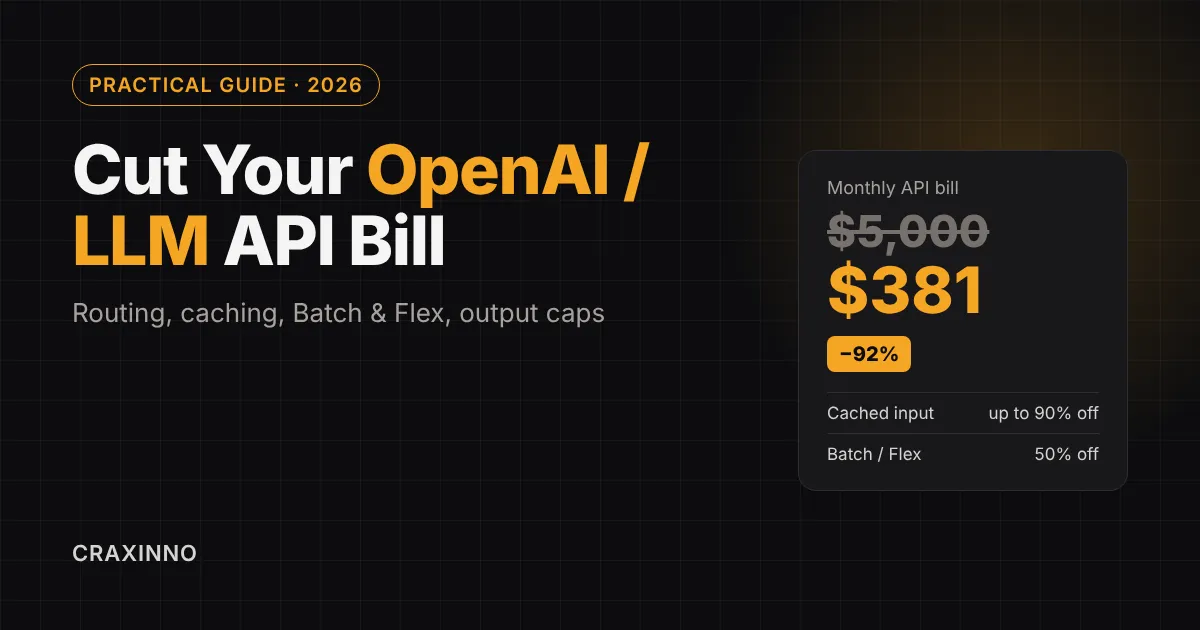 OpenAI API
How to Cut Your OpenAI / LLM API Bill (Practical Guide)
Quick answer: To cut your OpenAI or LLM API bill, send each task to the smallest model that passes your tests, put the stable part of every prompt first so it gets cached at up to 90% off, move anything that can wait to the Batch API or Flex (50% off), and cap output tokens. Stacked together, these levers routinely remove most of the bill. Most teams overpay for the same reason. They picked one model during the prototype, wired it into every feature, and never looked again. The invoice grows with traffic, someone in finance asks why, and the answer is "we're using AI." That answer stops working around the third month. This guide walks through the levers we actually reach for when an LLM API bill gets out of hand, in the order we reach for them. Prices quoted are OpenAI's published Standard-tier rates as of November 2026. They change often, so treat the ratios as the lesson and check the official pricing page before you plan a budget around them. Where your LLM API money actually goes Before cutting anything, know what you're paying for. Every request bills three things: input tokens, output tokens, and (on newer models) cache writes. Output is the expensive one. Across OpenAI's current lineup, output tokens cost 5x as much as input tokens, and reasoning tokens are billed as output even though you never see them. Model (Standard tier) Input / 1M Cached input / 1M Output / 1M GPT-6 Astra $10.00 $1.00 $50.00 GPT-6.1 Sol $2.00 $0.10 $10.00 GPT-6.1 Terra $1.00 $0.05 $5.00 GPT-6 Luna $0.10 $0.01 $0.50 GPT-5.4 mini $0.75 $0.075 $4.50 Look at the spread. Astra input costs 100x what Luna input costs. If a feature is running on the top model by default, that one decision probably outweighs every prompt tweak you could make. 1. Measure cost per feature before you cut anything You can't fix a number you only see as a monthly total. Log, for every call: the feature or endpoint, the model, input tokens, cached tokens, output tokens, and the user or tenant. The API already returns most of this in the usage object, including usage.prompt_tokens_details.cached_tokens . Then sort by spend. In almost every audit, one or two features own the majority of the bill. Often it's something nobody thinks of as "the AI feature" (a background summarizer, a retry loop, an agent that re-reads the same document on every step). Start there. 2. Route each task to the smallest model that passes your tests If you want to cut your OpenAI API bill fast, this is the biggest lever and the most ignored one. Classification, extraction, tagging, short summaries, routing decisions and formatting don't need a frontier model. A mini or nano tier handles them, and the price difference is an order of magnitude or more. The trick is to make the decision with data instead of vibes: Pull 100 to 200 real requests for the feature, with the outputs you consider correct. Run them through the cheapest candidate model. Score the results the same way you'd score the expensive model. Move up one tier only if the cheap one fails your bar. For mixed traffic, put a small router in front: the cheap model handles the request, and only escalates to the larger one when it's unsure or the task is flagged as hard. Most requests never escalate. (One honest caveat: a cheaper model that needs three retries isn't cheaper. Count retries in your eval.) 3. Structure prompts so they get cached Prompt caching is the closest thing to free money in the API. When the start of a request exactly matches a recent one, the matching tokens bill at the cached rate, which is 90% to 95% below the normal input price on current OpenAI models. OpenAI applies it automatically, but only if your prompts are built for it. Rules that decide whether you get a cache hit: Stable content first, variable content last. System instructions, tool definitions, schemas and few-shot examples go at the top. The user's message and anything dynamic go at the bottom. No timestamps or request IDs near the top. One changed character early in the prompt breaks the match for everything after it. Move that data into the request's metadata field. Keep tool lists identical. If you need to restrict tools per turn, use allowed_tools in tool_choice instead of changing the tools array. Append, don't edit. Rewriting earlier messages in a conversation throws away the cached prefix. Use prompt_cache_key . It groups related requests onto the same machines. In OpenAI's Prompt Caching 201 cookbook , one coding customer raised their hit rate from 60% to 87% just by adding it. On older models, caching only applies once the prompt reaches 1,024 tokens, so a short prompt never benefits. Here's the part most guides skip. On the GPT-5.6 and GPT-6 families, OpenAI now lists a separate cache-write price: 1.25x the input rate for a 30-minute cache and 2.5x for 12 hours. That changes the math. A prefix you write once and never reuse costs more than not caching. On GPT-6.1 Sol, though, one reuse already wins: $2.50 to write plus $0.10 to read, against $4.00 for sending the same million tokens twice uncached. So caching pays off on any prefix that gets hit at least twice inside the window, which describes nearly every chatbot and agent. 4. Move anything that can wait to the Batch API If the user isn't waiting for the answer, you shouldn't pay real-time prices. The Batch API takes a file of requests, returns results within 24 hours, and bills at 50% of the Standard rate on input, cached input and output alike. Good candidates: Nightly summarization or tagging of tickets, reviews or emails Generating embeddings or metadata for a content backlog Running evals and regression tests on new prompts Bulk content generation, translation or data cleanup Requests that don't finish in the window expire, and only completed requests get billed. Anthropic and Google sell the same 50%-off batch deal on their APIs, so this lever travels with you if you switch providers. 5. Use Flex processing for traffic in between Some work is too slow for real time but can't wait a day either. Flex processing sits there. It bills at the same 50% discount as Batch, but you call it synchronously: set service_tier: "flex" on the request. The trade-off is availability. When capacity is tight, Flex can return a 429 error instead of an answer (those failed calls aren't charged). Wrap it in a retry with backoff, and fall back to Standard if a job is getting close to its deadline. The opposite setting deserves a warning too. "Fast" mode (the priority tier) costs 2x Standard on most models, and Ultrafast costs 6x. Turn those on only for the endpoints where latency clearly earns money, never as a global default. 6. Cap output and reasoning tokens Since output costs 5x input, a chatty model is an expensive model. Three fixes: Set max_output_tokens on every call. It includes reasoning tokens, so it also stops a reasoning model from thinking for 20,000 tokens about a yes/no question. Lower reasoning effort for simple tasks. Most extraction and classification work runs fine on low effort. Ask for structured output. A JSON schema with the exact fields you need cuts the preamble, the restated question and the "I hope this helps" at the end. A plain instruction like "Answer in under 80 words" also works better than people expect. Test it against your eval set before trusting it. 7. Send less context Input tokens are cheaper than output, but you send a lot more of them. Common leaks: Full chat history on every turn. After 20 turns you're paying for the whole transcript each time. Too many RAG chunks. Retrieving 20 chunks when the answer lives in 3 multiplies input cost with no quality gain. Tune top-k and add a reranker. (Our RAG chatbot tutorial covers this setup.) Whole documents where a section would do. There's a tension here worth knowing about. We used to summarize old conversation turns aggressively to save input tokens. Then we noticed summarization rewrites the start of the prompt, which kills the cache. Now the default is: keep the prefix stable as long as the conversation is short, and compact only when the history gets long enough that the savings clearly beat the lost cache hits. One more threshold: on current flagship models, requests over 272K input tokens switch to long-context pricing, which doubles the input rate for the entire request. If you're near that line, trim to stay under it. 8. Watch the hidden line items Token counts aren't the whole bill. Check your usage dashboard for these: Web search tool: $10 per 1,000 calls, plus the search content tokens at model rates. File search tool: $2.50 per 1,000 calls, plus storage at $0.10 per GB per day after the first free GB. Containers (Code Interpreter and hosted shell): billed per 20-minute session, from $0.03 to $1.92 depending on memory size. Regional data residency: a 10% uplift on newer models. An agent that runs a web search on every step can quietly spend more on tool calls than on tokens. 9. Put hard limits on agents Agents are where bills explode, because one bad loop can make hundreds of calls before anyone notices. Build the brakes into your own code: A maximum number of steps per task A per-task and per-user token budget, checked before each call A stop rule when the agent repeats the same error or the same tool call twice Separate API projects per environment, so a runaway test in staging can't touch production spend Project budgets in the OpenAI dashboard are useful for alerts, but don't count on them to stop traffic. The hard stop belongs in your application. If you're scoping an agent project, our breakdown of AI agent pricing in 2026 covers how running costs fit into the total. How much can you cut your OpenAI API bill? A worked example Here's the math for a hypothetical support assistant, using OpenAI's list prices. It handles 100,000 requests a month. Each request sends 3,000 input tokens (2,500 of them a fixed system prompt and knowledge snippet) and gets back 400 output tokens. Step Monthly cost Everything on GPT-6 Astra $5,000 Route to GPT-6.1 Sol after it passes evals $1,000 Fixed 2,500-token prefix served from cache ~$531 Output capped at 250 tokens ~$381 That's about a 92% cut, before touching Batch or Flex at all. Your numbers will differ. The order of the savings usually won't: model choice first, caching second, output discipline third. Where to start this week Lever Typical saving Effort Cost logging per feature Shows where to act Low Smaller model for simple tasks Often 80%+ on that feature Medium (needs evals) Cache-friendly prompt order Up to 90% on repeated input Low Batch API for async jobs 50% Low to medium Flex for in-between traffic 50% Low (add retries) Output and reasoning caps Varies, often large Low Agent step and budget limits Prevents blowups Medium If you only do two things to cut your OpenAI API bill, add per-feature cost logging today and reorder your prompts for caching tomorrow. Both take hours, not weeks, and they tell you exactly where the remaining money is going. And if you'd rather have someone do the audit for you, Craxinno builds and tunes production AI features on the OpenAI and Claude APIs. Tell us what you're running and we'll show you where the bill can come down.
 AI Agents
AI Agent Pricing: What Should You Actually Pay in 2026?
AI Agent Pricing: What Should You Actually Pay in 2026? AI agent pricing in 2026 runs from about $0.10 per interaction for off-the-shelf support bots to $200,000+ for enterprise custom builds. Most businesses should expect to pay $0.99 to $2.00 per resolved conversation on a SaaS agent, or a one-time build fee plus $500 to $3,000 a month in model and infrastructure costs for a custom agent. That range is useless on its own, so this guide breaks it apart. You'll see what the big vendors actually charge, how custom-build quotes are put together, the token math most quotes leave out, and the point where building your own agent becomes cheaper than renting one. We build AI agents for clients at Craxinno, and the most common question we get isn't "can you build this?" It's "why did the last agency quote me $90,000 for this?" Let's answer that properly. AI Agent Pricing at a Glance (2026) Option Typical 2026 price Best for No-code agent platforms $29 to $200 per month to start Internal automations, small teams testing ideas Off-the-shelf support agents $0.10 per session to $2.00 per conversation or resolution Customer support on an existing helpdesk Enterprise agent platforms $125+ per user per month, or $30,000 to $300,000+ per year Large orgs already on Salesforce, Zendesk and similar Custom-built agent (agency quotes) $20,000 to $200,000+ one-time Agents tied to your own data, tools and workflows Running costs for a custom agent Model tokens plus roughly $500 to $3,000+ per month in infrastructure Anyone who owns the agent The no-code figure comes from Toolradar's survey of 319 agent tools, where the median cheapest paid plan was $29 a month. The custom-build range matches what agencies such as Cleveroad publish. Vendor prices below are list prices as reported in late 2026, so check the vendor's page before you sign. The 5 AI Agent Pricing Models You'll Run Into Vendors stopped agreeing on how to charge for agents somewhere around 2024. Salesforce alone now sells Agentforce three different ways at the same time. Here's how the models break down. 1. Per conversation You pay every time the agent talks to someone, whether it solves the problem or not. Salesforce launched Agentforce at $2 per conversation in October 2024. Ada reportedly lands between $1.00 and $3.50 per interaction. Simple to understand, but you pay for the failures too. 2. Per resolution (outcome-based) You pay only when the agent closes the ticket without a human. Intercom's Fin charges $0.99 per outcome. Zendesk charges $1.50 per automated resolution on committed volume and $2.00 pay-as-you-go. Gorgias sits around $0.60 to $1.27 depending on plan. This sounds like the fairest deal, and often it is. The catch: the vendor defines "resolved." If a customer gives up and leaves, some systems count that as a win. Read the definition in the contract, not the landing page. 3. Credits or per action Salesforce's Flex Credits (May 2025) bill $0.10 per action, sold in packs of 100,000 credits for $500. Microsoft Copilot Studio sells 25,000 credits for $200 a month. Lindy starts at $29.99 per user per month with 3,000 credits. Credits are flexible, but forecasting them is hard until you've watched real usage for a month or two. 4. Per seat The old SaaS model, bolted onto agents. Agentforce per-user licenses start at $125 per user per month. Microsoft 365 Copilot is $30 per user per month. Fine for copilots that help employees. Strange for an agent that's supposed to replace the work of seats. 5. Platform fee plus usage Common at the enterprise end. Decagon reportedly charges around $50,000 a year as a platform fee, then adds per-conversation or per-resolution fees on top. Sierra quotes custom enterprise pricing only. What Off-the-Shelf AI Agents Cost in 2026 If you want a support agent and already use one of these helpdesks, here's the real comparison. Vendor Pricing model Reported price Intercom Fin Per outcome $0.99 per outcome (helpdesk seats from $29/month) Zendesk AI Per resolution $1.50 committed, $2.00 pay-as-you-go Salesforce Agentforce Conversation, credits or seat $2/conversation, $0.10/action, or $125/user/month Freshdesk Freddy AI Per session $0.10 per session ($100 per 1,000) Gorgias Per resolution About $0.60 to $1.27 Ada Custom About $30,000+ yearly minimum (reported) Decagon Platform fee plus usage About $50,000/year plus usage (reported) Don't stop at the per-resolution number. Agentforce implementations reportedly run $50,000 to $150,000, with ongoing consulting at $10,000 to $25,000 a month. A cheap unit price on a platform that needs a six-figure rollout isn't cheap. How Much Does It Cost to Build a Custom AI Agent? Published agency ranges look like this, using Cleveroad's 2026 breakdown: Reactive agent (answers questions, no memory): $20,000 to $35,000+ Contextual agent (remembers the conversation, uses your data): $40,000 to $70,000+ Autonomous agent (plans steps, calls tools, takes actions): $80,000 to $120,000+ Domain-specific enterprise agent (compliance, deep integrations): $100,000 to $200,000+ Those numbers are real quotes from real agencies. But they mostly reflect agency rates, not the difficulty of the work. Every custom quote comes down to one formula: Build cost = hours × hourly rate A US or UK agency billing $120 to $200 an hour gets to $80,000 fast. The same scope at a $25 an hour studio (our standard rate at Craxinno) costs a fraction of that. So the first question to ask about any quote is simple: how many hours is this, and what's the breakdown? Where do the hours actually go? In the agents we've shipped, the LLM call itself is the easy part. The time disappears into four places: Integrations. Connecting the agent to your CRM, helpdesk, database or payment gateway. Every API has its own auth, rate limits and weird edge cases. Knowledge setup. Cleaning your docs, chunking them and building retrieval (RAG) so the agent answers from your data instead of guessing. We wrote a full walkthrough in our guide to building a RAG chatbot with the OpenAI API . Guardrails and fallbacks. What happens when the agent isn't sure? When a tool call fails? When a user tries to make it say something it shouldn't? Testing against real conversations. This is the step that's skipped in cheap builds and the reason many agents look great in a demo and fall apart in week two. If a quote doesn't show hours against these items, you can't compare it with anything. If you're weighing offshore options, our post on how to hire AI developers in India covers what to check before you sign. The Token Math Most AI Agent Quotes Leave Out Here's the cost that keeps running after the build invoice is paid. Every time your agent thinks, it spends tokens. Cost per task = (input tokens × input price) + (output tokens × output price) Take a simple inbox-triage agent that reads 20,000 tokens and writes 2,000 per task. On a mid-tier model priced at $2 per million input tokens and $10 per million output tokens (OpenAI list pricing as of October 2026, per Dupple's breakdown): Input: 20,000 × $2 ÷ 1,000,000 = $0.04 Output: 2,000 × $10 ÷ 1,000,000 = $0.02 Total: $0.06 per task Now look at what model choice does to the same workload, per 1,000 tasks: Agent type Budget model Mid-tier model Flagship model Inbox triage (20k in, 2k out) $3 $60 $300 Research, 5 lookups (60k in, 6k out) $9 $180 $900 Coding/ops with cached context $11.70 $222 $1,170 That's a 100x spread for the same job. And this is where most of the waste we see comes from: teams pick the flagship model for everything because it won the demo, then get a shock at month-end. Route the easy 80% of requests to a cheap model and save the expensive one for the hard cases. It's usually the single biggest saving available. Two more things on tokens. Prices move. Dupple reports Google's Gemini Argon doubling on December 1, 2026, and Gemini 3.8 Flash doubling on January 1, 2027, so lock your budget to a model you can swap out. And if a job can wait, OpenAI's Batch processing halves standard prices. Hidden Monthly Costs of Running an AI Agent The model bill is rarely the biggest line once you're in production. Budget for these too: Vector storage and memory: roughly $500 to $2,500+ a month depending on traffic and data size Logging pipeline: $300 to $800 a month Monitoring integrations: $300 to $1,000 a month, plus $100 to $500 for error tracking Prompt tuning and testing: $1,000 to $5,000 a month if you keep improving the agent (and you should) Search grounding: on Gemini, 5,000 requests a month are free, then $14 per 1,000 Hosting: your servers or serverless functions. If you're on AWS, plan this before launch, not after Those ranges come from Cleveroad's and Dupple's 2026 breakdowns. A small agent with modest traffic will land at the low end of each. You won't need every line on day one, but you'll need most of them by month three. Buy vs. Build: When Does a Custom AI Agent Pay for Itself? This is the question that actually decides your budget, so let's do the math with real list prices. Say your support agent resolves 5,000 tickets a month. On Intercom Fin at $0.99 per outcome: about $4,950 a month, or roughly $59,400 a year. On Zendesk at $1.50 per resolution: about $7,500 a month, or $90,000 a year. On a custom agent: 5,000 tasks on a mid-tier model at a triage-sized prompt costs about $300 a month in tokens. Add $1,000 to $2,000 for infrastructure and monitoring, and you're at roughly $1,300 to $2,300 a month before the build cost. At that volume, the gap is roughly $2,600 to $6,200 a month. A custom build in the $15,000 to $30,000 range can pay for itself inside a year. At 300 tickets a month, it won't. Fin would cost you about $300 a month, and no custom build beats that. So our honest rule of thumb: Under about 1,000 resolutions a month: buy. Use the agent built into your helpdesk. Thousands of resolutions a month, or the agent needs to take actions in your own systems: build, or at least get a quote. The agent is the product you sell: build. You can't rent your core feature from a vendor who sets the price. So, What Should You Actually Pay for an AI Agent in 2026? Here's where we'd land for most small and mid-sized businesses: Testing an idea: $0 to $200 a month on a no-code platform. Spend a month proving people will use it. Customer support on a standard helpdesk: $0.99 to $2.00 per resolution. Negotiate committed-volume pricing once you know your numbers. A custom agent tied to your systems: a build fee based on clear hours at a fair rate, then a monthly running cost you can predict from token math plus infrastructure. Paying $90,000 for a first agent with no hour breakdown and no running-cost estimate is the thing to avoid. Not because the agency is dishonest, but because you can't tell whether the price matches the work. Red Flags in an AI Agent Quote No hour breakdown, just a single number. No estimate of monthly token and hosting costs. Locked to one model provider with no way to switch. No test plan using your real past conversations. No answer to "what happens when the agent is wrong?" A per-resolution contract that doesn't define "resolution." If a quote has two or more of these, ask for a revised one before you compare prices. For a wider view of how development pricing works, see our breakdown of what a dedicated development team costs in 2026 and our best tech stack picks for SaaS startups . Get a Clear AI Agent Quote from Craxinno Craxinno is an AI-first design and development studio. We've been building software since 2017, and we price AI agent work the way this article recommends: hours you can see, at $25 an hour, with a running-cost estimate before you commit. If you want a second opinion on a quote you've already received, send it over. We'll tell you if it's fair. Talk to us about your AI agent project → Sources Fin: AI Agent Pricing Comparison 2026 SaaStr: Salesforce now has 3 pricing models for Agentforce Dupple: How Much Does It Cost to Build an AI Agent in 2026? Cleveroad: AI Agent Development Cost in 2026
 RAG
How to Build a RAG Chatbot with the OpenAI API (Tutorial)
How to Build a RAG Chatbot with the OpenAI API (Tutorial) A RAG chatbot answers questions from your documents instead of from whatever the model memorised during training. You split your content into chunks, turn each chunk into an embedding, store them, retrieve the closest chunks for every question, and pass them to the model as context. With the OpenAI API you can do this in two ways: the managed file_search tool, or a do-it-yourself pipeline with embeddings. This tutorial builds both in Python, then shows what changes when you take it to production. What is a RAG chatbot (and why not just fine-tune)? RAG (retrieval-augmented generation) is a pattern where the app looks up relevant passages from your own data at question time and gives them to the language model as context, so the answer is grounded in those passages rather than in the model's training data. Picture a support bot asked, "Do you offer refunds after 30 days?" A plain LLM will guess. It sounds confident, and it may be wrong. A RAG bot first pulls the refund section of your policy PDF, then answers from that text and can point to the source. Fine-tuning changes how a model writes. It is a poor way to teach it facts that change every month. If your pricing page, product docs or HR policy gets edited, RAG picks up the change the moment you re-index the file. A fine-tuned model needs another training run. For a chatbot that has to be correct about your business , retrieval is almost always the first thing to build. How a RAG chatbot works: the 5-step pipeline Ingest your sources (PDFs, Markdown, help-centre pages, database rows). Chunk them into passages of a few hundred tokens with some overlap. Embed each chunk into a vector with an OpenAI embedding model and store it. Retrieve the top-k chunks closest to the user's question. Generate an answer with the model, using only the retrieved chunks, and cite them. Everything else (re-ranking, hybrid search, query rewriting, evaluation) is a refinement of one of these five steps. Two ways to build it with the OpenAI API Option A: Managed file_search Option B: DIY embeddings Setup time Minutes A few hours Chunking & embedding Handled by OpenAI You control it Where vectors live OpenAI vector store Your database (pgvector, Qdrant, Pinecone, etc.) Metadata filters, custom ranking Limited Full control Best for Prototypes, internal tools, small to medium document sets Multi-tenant SaaS, strict data residency, large or fast-changing data Our view after shipping both: start with Option A to prove the bot is useful, then move to Option B only when you hit a concrete limit (tenant isolation, filtering, cost at scale, or data that cannot leave your infrastructure). Prerequisites Python 3.10 or newer An OpenAI API key stored as the OPENAI_API_KEY environment variable A folder of documents to test with (a product manual or FAQ export works well) 1 pip install openai numpy tiktoken In the code below, the chat model is read from an OPENAI_MODEL environment variable. Set it to a current model from OpenAI's models page, since model names change more often than this tutorial will. Option A: Build a RAG chatbot with the Responses API and file_search This is the fastest route. OpenAI's file search tool parses your files, chunks them, embeds them and runs the search for you. You get a working bot in roughly 40 lines. Step 1: Upload files and create a vector store 1 2 3 4 5 6 7 8 9 10 11 12 13 from pathlib import Path from openai import OpenAI client = OpenAI ( ) vector_store = client . vector_stores . create ( name = "company_knowledge_base" ) for path in Path ( "docs" ) . glob ( "*.pdf" ) : with open ( path , "rb" ) as f : uploaded = client . files . create ( file = f , purpose = "assistants" ) result = client . vector_stores . files . create_and_poll ( vector_store_id = vector_store . id , file_id = uploaded . id , ) print ( path . name , result . status ) # expect "completed" print ( "Vector store ID:" , vector_store . id ) What goes wrong: scanned PDFs with no text layer index as almost nothing. If a file "completes" but the bot never finds anything in it, run OCR on it first. Step 2: Ask questions with the file_search tool 1 2 3 4 5 6 7 8 9 10 11 12 13 14 15 16 17 18 19 20 21 22 23 24 25 import os MODEL = os . environ [ "OPENAI_MODEL" ] VECTOR_STORE_ID = "vs_..." # from step 1 SYSTEM = ( "You are the support assistant for our company. " "Answer only from the provided files. " "If the files do not contain the answer, say you don't know " "and suggest contacting support. Keep answers short." ) def ask ( question , previous_id = None ) : response = client . responses . create ( model = MODEL , instructions = SYSTEM , input = question , tools = [ { "type" : "file_search" , "vector_store_ids" : [ VECTOR_STORE_ID ] , "max_num_results" : 5 , } ] , include = [ "file_search_call.results" ] , previous_response_id = previous_id , ) return response r1 = ask ( "What is the refund window?" ) print ( r1 . output_text ) include=["file_search_call.results"] returns the matched chunks, so you can log them and show sources in your UI. max_num_results trades quality for cost: fewer chunks means fewer input tokens and faster replies, but a higher chance of missing the right passage. Five is a sensible starting point. Step 3: Keep the conversation going 1 2 r2 = ask ( "And does that apply to annual plans?" , previous_id = r1 . id ) print ( r2 . output_text ) Passing previous_response_id lets the API carry the chat history, so the follow-up "that" resolves to the refund window. No manual message list needed. That is a complete RAG chatbot. Wrap ask() in a FastAPI endpoint, put a chat widget on top, and you have an MVP. Option B: Build RAG from scratch with OpenAI embeddings Build it yourself when you need control: per-customer filtering, your own database, custom chunking for tables or code, or a hard rule that documents never leave your servers except as embedding requests. Step 1: Chunk your documents Chunking decides retrieval quality more than any other setting. Too large and each chunk mixes topics; too small and it loses the context needed to answer. 1 2 3 4 5 6 7 8 9 10 import tiktoken enc = tiktoken . get_encoding ( "cl100k_base" ) def chunk_text ( text , source , size = 400 , overlap = 60 ) : tokens = enc . encode ( text ) chunks = [ ] step = size - overlap for start in range ( 0 , len ( tokens ) , step ) : piece = enc . decode ( tokens [ start : start + size ] ) chunks . append ( { "text" : piece , "source" : source } ) return chunks Start around 300 to 500 tokens with 10 to 15% overlap. Better still, split on headings first (one H2 section per chunk), and only fall back to token windows for long sections. Structured splits keep a question and its answer in the same chunk. Step 2: Create embeddings 1 2 3 4 5 6 7 8 9 10 11 12 13 import numpy as np EMBED_MODEL = "text-embedding-3-small" def embed ( texts ) : resp = client . embeddings . create ( model = EMBED_MODEL , input = texts ) return np . array ( [ d . embedding for d in resp . data ] , dtype = np . float32 ) chunks = [ ] for path in Path ( "docs" ) . glob ( "*.md" ) : chunks += chunk_text ( path . read_text ( ) , source = path . name ) vectors = [ ] for i in range ( 0 , len ( chunks ) , 100 ) : # batch requests vectors . append ( embed ( [ c [ "text" ] for c in chunks [ i : i + 100 ] ] ) ) matrix = np . vstack ( vectors ) matrix /= np . linalg . norm ( matrix , axis = 1 , keepdims = True ) text-embedding-3-small returns 1,536-dimension vectors, accepts up to 8,192 input tokens, and is listed at $0.02 per million tokens ($0.01 with the Batch API) at the time of writing. Embedding a few thousand pages of docs usually costs cents, not dollars. Check OpenAI's pricing page before you quote a client. If retrieval quality on your data is weak, try text-embedding-3-large (3,072 dimensions) before rewriting anything else. Step 3: Retrieve the top-k chunks 1 2 3 4 5 6 def retrieve ( question , k = 5 ) : q = embed ( [ question ] ) [ 0 ] q /= np . linalg . norm ( q ) scores = matrix @ q # cosine similarity top = np . argsort ( - scores ) [ : k ] return [ ( chunks [ i ] , float ( scores [ i ] ) ) for i in top ] NumPy is fine for a few thousand chunks. Past that, move the vectors into a vector database: pgvector if you already run Postgres, or Qdrant, Weaviate or Pinecone if you want a dedicated service. The retrieval function stays the same shape; only the storage changes. Step 4: Generate a grounded answer with citations 1 2 3 4 5 6 7 8 9 10 11 12 13 14 15 16 17 18 def answer ( question , history = None ) : hits = retrieve ( question ) context = "\n\n" . join ( f "[{n}] ({c['source']})\n{c['text']}" for n , ( c , _ ) in enumerate ( hits , 1 ) ) prompt = ( "Answer the question using ONLY the context below. " "Cite sources like [1]. If the answer is not in the context, " "reply: \"I don't have that information.\"\n\n" f "Context:\n{context}\n\nQuestion: {question}" ) response = client . responses . create ( model = MODEL , input = ( history or [ ] ) + [ { "role" : "user" , "content" : prompt } ] , ) return response . output_text , hits text , sources = answer ( "How do I reset my password?" ) print ( text ) The "I don't have that information" line is the single most useful instruction in the prompt. Without it, the model fills gaps with plausible guesses, which is exactly the failure RAG is meant to stop. Step 5: Add memory for follow-up questions Follow-ups like "what about on mobile?" retrieve badly because the question alone has no subject. Fix it by rewriting the question before retrieval: 1 2 3 4 5 6 7 def standalone ( question , history ) : r = client . responses . create ( model = MODEL , input = history + [ { "role" : "user" , "content" : f "Rewrite this as a standalone question: {question}" } ] , ) return r . output_text Retrieve with the rewritten question, answer with the original one. This small step fixes a large share of "the bot forgot what we were talking about" complaints. Taking your RAG chatbot to production The demo works on day one. The work is in the next four weeks. These are the points we check on every RAG build at Craxinno: Build an evaluation set first. Write 30 to 50 real questions with known correct answers and the source they should come from. Re-run them after every change to chunk size, model or prompt. Without this you are tuning by vibes. Use hybrid search for names and codes. Embeddings are weak on exact strings like SKU numbers, error codes and people's names. Combine vector search with keyword (BM25) search and merge the results. Re-rank before you generate. Retrieve 20 candidates, re-rank them, and pass the best 5. Answers get sharper and you send fewer tokens. Filter by tenant and permission. In a multi-customer product, every chunk needs metadata (customer ID, role, document date) and every query must filter on it. One leaked chunk from another customer is a serious incident. Re-index on change. Hook ingestion to your CMS or storage events so edited documents are re-embedded automatically. Stale answers erode trust faster than "I don't know". Log retrieved chunks with every answer. When a user reports a wrong answer, you need to see whether retrieval or generation failed. They need different fixes. Stream responses. Use stream=True so text appears as it is generated. Perceived speed matters more than total latency in a chat UI. Common RAG mistakes (and quick fixes) Symptom Likely cause Fix Bot says "I don't know" when the answer exists Chunks too small or question phrased differently from the docs Larger chunks, heading-based splits, query rewriting Answers mix two unrelated topics Chunks too large Split by section, reduce chunk size Wrong product or SKU in the answer Pure vector search on exact identifiers Add keyword search (hybrid) Confident but invented answers Prompt allows answering outside context Explicit "only from context" rule and a fallback reply Costs climbing Too many chunks per query, long histories Lower top-k, re-rank, trim history How much does a RAG chatbot cost to run? Two meters run. Embeddings are cheap and mostly one-off: you pay once to index and again only for changed documents. The bigger, recurring cost is the chat model, because every question sends the retrieved chunks as input tokens. Five chunks of 400 tokens add about 2,000 input tokens per question before history. Cut top_k , trim history and pick a smaller model for simple FAQ traffic, and costs stay predictable. With managed file_search , also budget for vector storage and tool calls, which OpenAI prices separately on its built-in tools pricing page. Need a production-ready RAG chatbot? A tutorial gets you a working prototype. A chatbot your customers trust needs evaluation, permissions, monitoring and a UI people actually use. Craxinno designs and ships AI products end to end, from RAG pipelines and agentic workflows in Python (FastAPI, Django) to the web and mobile apps that sit on top. If you want a RAG chatbot built on your data, talk to our team .

© 2026 — Craxinno Technologies