How Much Does It Cost to Build an App Like Instagram?
TL;DR
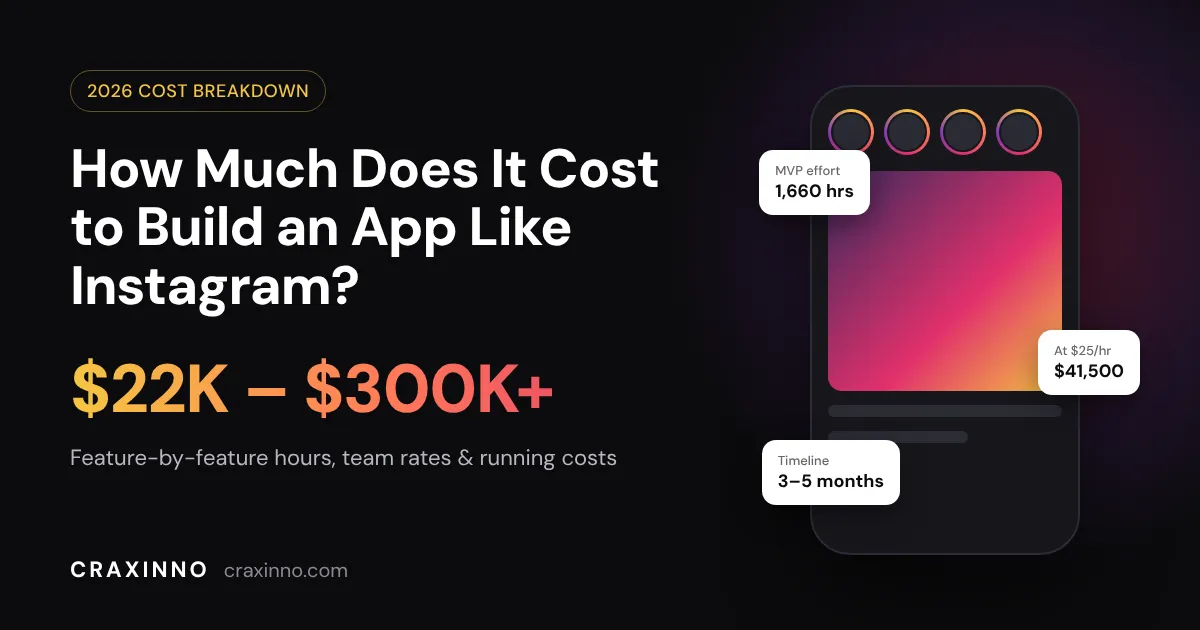
An Instagram-like MVP takes about 1,660 hours: roughly $41,500 at $25/hour versus $249,000+ at US rates, plus about $3,000–$4,000 a month to run at 10,000 daily users.
Quick answer: The cost to build an app like Instagram is roughly $22,000 to $50,000 for an MVP built by an offshore team at $25/hour, and $150,000 to $300,000 for the same scope with a US agency. A full product with Reels-style video, AI feed ranking and live streaming runs $100,000 to $1M+, depending on who builds it.
That's a wide range, and every agency page you've read gives you a different one. So instead of another vague estimate, we did the math in the open: feature-by-feature hours, the same hours priced at three different rates, and the monthly server bill nobody mentions until after launch.
Instagram App Cost at a Glance
Build tier | What you get | Effort | At $25/hr (India) | At $75/hr (E. Europe) | At $150/hr (US) | Timeline |
|---|---|---|---|---|---|---|
Basic photo app | Profiles, photo upload, filters, follow feed, likes, comments | 900–1,200 hrs | $22.5K–$30K | $67.5K–$90K | $135K–$180K | 2–3 months |
Instagram-style MVP | Basic + Stories, DMs, Explore, push notifications, admin panel | 1,500–2,000 hrs | $37.5K–$50K | $112.5K–$150K | $225K–$300K | 3–5 months |
Full platform | MVP + short-video feed, ML ranking, live streaming, ads, shopping | 4,000–8,000+ hrs | $100K–$200K+ | $300K–$600K+ | $600K–$1.2M+ | 9–18 months |
Look at that table for a second. The scope in each row is identical across the columns. The only thing that changes is the hourly rate, and it moves the price by 6x. Hold that thought; we'll come back to it.
Instagram Was Built by 13 People. Your Clone Still Won't Be Cheap
Here's the part that confuses founders. Kevin Systrom and Mike Krieger launched Instagram on iOS on October 6, 2010, and roughly 25,000 people signed up on day one. When Facebook bought it for $1 billion in April 2012, the company had 13 employees.
So why does a "simple photo app" cost six figures today?
Because the 2010 version of Instagram was a photo feed with filters. That's it. No Stories (added in 2016), no Reels (2020), no DMs worth talking about, no shopping, no ads. Today Instagram has more than 3 billion monthly active users, a figure Meta announced in September 2025, and the app you're comparing against is fifteen years of features stacked on top of that original feed.
You don't need fifteen years of features. You need the 20% your users will open the app for. That's where the budget conversation should start.
Feature-by-Feature Cost Breakdown
Below is a realistic hour estimate for an Instagram-style MVP built cross-platform (one codebase for iOS and Android) with a backend and admin panel. Your own scope will shift these numbers, but the proportions hold up.
Feature | What it involves | Est. hours | Cost at $25/hr |
|---|---|---|---|
Discovery + UI/UX design | User flows, wireframes, high-fidelity screens, design system | 160 | $4,000 |
Sign-up and profiles | Email/phone OTP, Google/Apple login, edit profile, follow/unfollow, private accounts | 120 | $3,000 |
Photo and video upload | Camera, gallery picker, crop, filters, compression, multiple resolutions | 200 | $5,000 |
Home feed | Following feed, infinite scroll, caching, pull-to-refresh | 140 | $3,500 |
Likes, comments, saves, shares | Real-time counters, threaded comments, saved collections | 90 | $2,250 |
Search and Explore | User and hashtag search, a basic trending grid | 100 | $2,500 |
Push notifications | Likes, comments, follows, DMs via FCM/APNs | 50 | $1,250 |
Direct messaging | 1:1 real-time chat over WebSockets, media in chat, read receipts | 180 | $4,500 |
Stories | 24-hour expiry, viewer list, simple text and sticker overlays | 120 | $3,000 |
Admin panel + moderation | User management, report queue, content takedown, basic analytics | 140 | $3,500 |
Backend, media pipeline, DevOps | API, database design, CDN, cloud setup, CI/CD, security | 180 | $4,500 |
QA and launch | Device testing, load testing, App Store and Play Store submission | 180 | $4,500 |
Total | 1,660 hrs | $41,500 |
For a sanity check: Cleveroad's published estimate puts the core Instagram features at about 1,180 hours per platform, and that excludes design and the admin panel. Ours lands in the same zone once you account for cross-platform development covering both apps at once.
Two lines in that table deserve a closer look.
Media upload is never "just an upload." A user picks a 12 MB photo from their gallery. Your app has to crop it, compress it, generate three or four sizes (thumbnail, feed, full screen), push them to storage and serve them through a CDN so the feed doesn't stutter on a 4G connection in a small town. Video multiplies all of that, because now you're transcoding too.
DMs are a product inside your product. Real-time messaging means persistent connections, delivery states, offline sync and push fallbacks. Founders routinely underestimate it. If messaging isn't the reason people will use your app, push it to version two.
What Makes an Instagram Clone Expensive
Some features cost a few thousand dollars. Others quietly double the budget. These are the ones that do the doubling:
- Short-form video (Reels): Vertical video means transcoding into several bitrates, adaptive streaming, autoplay that doesn't drain the battery, and a much bigger bandwidth bill. Expect 400–700+ hours on its own.
- AI-ranked feed: A chronological feed is a database query. A ranked feed needs event tracking, a recommendation model, and constant tuning. You can start with simple rules (recency plus engagement) and move to ML once you have enough users to learn from.
- Live streaming: Low-latency video, live comments, moderation in real time. Most teams buy this from a provider like Agora or Mux rather than building it.
- Content moderation: Once strangers can post photos, you need automated screening (services like AWS Rekognition flag nudity and violence) plus a human review queue. App stores will reject a social app with no reporting system.
- Two native apps instead of one cross-platform app: Separate Swift and Kotlin codebases take roughly 1.6–2x the effort of a single cross-platform build, according to Scrums.com's benchmarks. For a social MVP, Flutter or React Native is almost always the better call.
Why Your Team's Location Changes the Bill More Than Any Feature
Go back to the 1,660-hour MVP. Here's the same scope, same features, same quality bar, priced at typical market rates:
Team location | Typical hourly rate | 1,660-hour MVP |
|---|---|---|
India (Craxinno) | $25 | $41,500 |
Eastern Europe | $50–$75 | $83,000–$124,500 |
Western Europe / UK | $80–$120 | $132,800–$199,200 |
United States | $150–$200 | $249,000–$332,000 |
The gap between the top and bottom of that table is enough to fund a full year of marketing, or your second and third app versions.
We're obviously biased here, since we're a studio in Jaipur billing $25 an hour. But the honest version of this advice is the same one we'd give a friend: rate matters less than whether the team has shipped a social app before and talks to you every week. A cheap team that misjudges the media pipeline will cost you more than an expensive one that doesn't. Ask any vendor to walk you through how they'd handle image compression and feed caching. Their answer tells you more than their rate card.
The Cost Nobody Quotes You: Running the App
Most "cost to build" articles stop at launch day. Your bills don't.
Here's a rough monthly infrastructure estimate for a modest app with 10,000 daily active users, using AWS list prices before discounts or free tiers:
- Bandwidth (the big one): If each user scrolls through about 100 MB of photos and short clips a day, that's 1 TB a day, or roughly 30 TB a month. At CloudFront's US/Europe rates ($0.085/GB for the first 10 TB, $0.080/GB after that), you're paying around $2,450 a month just to deliver media.
- Storage: Say users upload 2,000 posts a day at about 5 MB each across all resized versions. That's around 300 GB of new data a month. Even after a full year (about 3.6 TB), S3 Standard at $0.023/GB costs roughly $85 a month.
- Servers, database, real-time chat, push and moderation APIs: typically another $500–$1,500 a month at this scale.
Notice the pattern? Storage is cheap. Serving media is what costs money, and it grows with every user who scrolls. That's why aggressive image compression, WebP/AVIF formats and short-video caps aren't technical nice-to-haves; they come straight off your monthly bill.
Then add maintenance. Cubix puts annual maintenance at 15–20% of the original build cost, which matches what we see: OS updates, new device sizes, security patches and bug fixes don't stop. On a $41,500 build, budget roughly $6,000–$8,500 a year for upkeep, separate from new features.
Tech Stack for an App Like Instagram
A fun fact that tends to reassure founders: Instagram's backend famously started on Django (Python) and PostgreSQL, the same boring, proven tools available to you today. You don't need exotic technology. You need sensible choices.
Layer | Our usual pick | Why |
|---|---|---|
Mobile app | Flutter or React Native | One codebase for iOS and Android, near-native performance |
Backend API | Node.js or Python (Django/FastAPI) | Fast to build, huge ecosystem, scales well behind a load balancer |
Database | PostgreSQL + Redis | Relational data for users and posts, Redis for feeds, counters and sessions |
Media storage + delivery | Amazon S3 + CloudFront (or Cloudinary) | Cheap storage, global CDN, on-the-fly image resizing |
Real-time chat | WebSockets (Socket.io) or Stream | Reliable messaging without reinventing it |
Push notifications | Firebase Cloud Messaging + APNs | Industry standard, free at the notification layer |
Moderation | AWS Rekognition + human review queue | Automated first pass, people for edge cases |
If you're curious how we use these in practice, our React and Node.js pages go deeper into the stack.
How Long Does It Take to Build an App Like Instagram?
A basic photo-sharing app takes 2–3 months. An Instagram-style MVP with Stories and DMs takes 3–5 months. A full platform with short video, ML ranking and live streaming takes 9–18 months. Timelines assume a dedicated team of four to six people: a designer, two or three developers, a QA engineer and a project manager.
The phase that slips most often isn't coding. It's decisions. A founder who answers "should comments be threaded?" in a day keeps the project on schedule; one who takes two weeks to decide doesn't. Our work process is built around weekly demos for exactly this reason.
How to Cut the Cost Without Building a Worse App
Pick a niche, not a planet. Instagram for everyone is a billion-dollar fight. Instagram for tattoo artists, home cooks, wedding photographers or college campuses is a product you can launch for under $50,000 and actually win. A niche also cuts features: a recipe-sharing app may not need DMs at all.
Launch with the feed, not the kitchen sink. Profiles, upload, feed, likes, comments, notifications. Ship it. Watch what people do. Then build Stories or messaging based on real behavior instead of guesses.
Buy the hard parts. Chat, live video and media processing all have mature providers (Stream, Agora, Mux, Cloudinary). Paying a monthly fee is usually far cheaper than 300 hours of custom engineering, at least until you hit serious scale.
Go cross-platform. One Flutter or React Native codebase instead of two native apps is the single biggest saving on the mobile side.
Use AI-assisted development, with humans in charge. We use AI coding tools daily at Craxinno, and they've cut the time spent on boilerplate, tests and admin screens noticeably. They don't replace architecture decisions, and they won't save a badly scoped project.
Should You Build an Instagram Clone at All?
Straight answer: a pure clone is a bad business plan. People already have Instagram, and "the same thing, but ours" gives nobody a reason to switch.
But "an app like Instagram" is a different idea. A visual feed, follows, likes and short video are proven patterns users already know how to use. Wrap them around a specific community or use case and you get familiarity without the head-to-head fight. That's the version worth paying for.
On monetization, one detail catches founders off guard: Apple and Google's 15–30% commission applies to digital goods and subscriptions sold inside the app, not to ad revenue. An ad-supported social app keeps its ad income; a subscription-based one needs to plan for the fee.
Frequently Asked Questions
How much does it cost to make an app like Instagram?
An Instagram-style MVP costs about $22,000–$50,000 with an offshore team at $25/hour, or $150,000–$300,000 with a US agency. A full platform with Reels-style video, AI ranking and live streaming ranges from $100,000 to over $1 million depending on team rates and scope.
What is the cheapest way to build an Instagram-like app?
Start with a niche MVP built cross-platform in Flutter or React Native, limit version one to profiles, uploads, feed, likes, comments and notifications, and use third-party services for chat and media processing. With a $25/hour team, this lands around $22,000–$30,000.
How long does it take to develop an app like Instagram?
A basic version takes 2–3 months, an MVP with Stories and DMs takes 3–5 months, and a full-featured platform takes 9–18 months with a dedicated team of four to six people.
How much does it cost to run an Instagram-like app every month?
For about 10,000 daily active users, expect roughly $3,000–$4,000 a month in infrastructure, mostly bandwidth for delivering photos and video. Maintenance adds 15–20% of the build cost per year.
Which is the most expensive feature in an Instagram clone?
Short-form video and the recommendation feed. Video needs transcoding, adaptive streaming and heavy bandwidth; an ML-ranked feed needs event tracking and a recommendation model. Each can add hundreds of development hours.
Can I build an app like Instagram with Flutter?
Yes. Flutter handles feeds, camera access, filters, video playback and real-time chat well, and it lets one codebase ship to iOS and Android, which cuts mobile development effort significantly compared with two native apps.
Get a Real Number for Your App
Every estimate in this article is a starting point. Your actual cost depends on your niche, your must-have features and how fast you want to launch.
Send us your idea and we'll come back with a feature list, an hour-by-hour estimate and a timeline, free and without a sales script. At $25/hour, you'll see exactly where every dollar goes. Talk to the Craxinno team or browse apps we've shipped first.
Frequently Asked Questions
How much does it cost to make an app like Instagram?+
An Instagram-style MVP costs about $22,000–$50,000 with an offshore team at $25/hour, or $150,000–$300,000 with a US agency. A full platform with Reels-style video, AI ranking and live streaming ranges from $100,000 to over $1 million depending on team rates and scope.
What is the cheapest way to build an Instagram-like app?+
Start with a niche MVP built cross-platform in Flutter or React Native, limit version one to profiles, uploads, feed, likes, comments and notifications, and use third-party services for chat and media processing. With a $25/hour team, this lands around $22,000–$30,000.
How long does it take to develop an app like Instagram?+
A basic version takes 2–3 months, an MVP with Stories and DMs takes 3–5 months, and a full-featured platform takes 9–18 months with a dedicated team of four to six people.
How much does it cost to run an Instagram-like app every month?+
For about 10,000 daily active users, expect roughly $3,000–$4,000 a month in infrastructure, mostly bandwidth for delivering photos and video. Maintenance adds 15–20% of the build cost per year.
Which is the most expensive feature in an Instagram clone?+
Short-form video and the recommendation feed. Video needs transcoding, adaptive streaming and heavy bandwidth; an ML-ranked feed needs event tracking and a recommendation model. Each can add hundreds of development hours.
Can I build an app like Instagram with Flutter?+
Yes. Flutter handles feeds, camera access, filters, video playback and real-time chat well, and it lets one codebase ship to iOS and Android, which cuts mobile development effort significantly compared with two native apps.
Need this built properly?
Custom software from scoping to deployment — production code from week one, bi-weekly demos.
Start a projectKeep ReadingMore case studies like this
Engineering retros, product launches, and brand systems from our studio — updated monthly.
All case studiesTechnology Used
.svg) Node.js
 Firebase
 Socket.IO
 AWS
 PostgresSQL
 Flutter
 React Native
Tags & Keywords
Continue with Blogs.
View all blogs SaaS Development
Best Tech Stack for a SaaS Startup in 2026 (Our Picks)
Best Tech Stack for a SaaS Startup in 2026 (Our Picks) Short answer: the best tech stack for a SaaS startup in 2026 is TypeScript end to end. Next.js and React on the frontend, PostgreSQL for data, a managed auth provider, Stripe for billing, and Vercel or AWS for hosting. Add Python (FastAPI) only when your product does real AI or data work. Pick boring, popular tools, because your team and your AI coding assistant already know them. That's the whole recommendation. The rest of this guide explains why, where each piece breaks, and what we'd swap for different kinds of SaaS products. We've been building web apps , payment integrations and AI products at Craxinno since 2017, so the opinions below come from projects we've shipped, not from a vendor pitch. The Best SaaS Tech Stack for 2026 at a Glance Layer Our default pick Good alternative Switch when Language TypeScript Python (for AI/data services) You run models, RAG or heavy data pipelines Frontend Next.js + React SvelteKit, Remix Your team already ships fast in something else UI Tailwind CSS + shadcn/ui Material UI, Mantine You need a heavy enterprise data-grid look Backend / API Next.js route handlers or NestJS FastAPI, Hono A mobile app or third parties need a public API Database PostgreSQL (Supabase, Neon or AWS RDS) MySQL Almost never ORM Drizzle Prisma Your team prefers a schema-file workflow Auth Supabase Auth or Better Auth Clerk, Auth0 You need enterprise SSO out of the box Payments Stripe Paddle, Polar, Razorpay You want a Merchant of Record, or you bill in INR Hosting Vercel AWS, Railway, Coolify on a VPS Bills climb, or compliance needs a private cloud Email / analytics / errors Resend, PostHog, Sentry Postmark, Mixpanel, Better Stack Personal preference Why a "Boring" Tech Stack Wins in 2026 Two years ago the argument for popular tools was hiring. That still holds. But in 2026 there's a bigger reason: most of your code will be written or reviewed with an AI assistant, whether that's Cursor, Claude Code or GitHub Copilot. AI tools are very good at Next.js, PostgreSQL and Stripe. There are millions of public examples to learn from. They are noticeably worse at a niche framework that shipped a breaking change last quarter. So a mainstream stack now buys you speed twice: from humans and from machines. We see this on client projects every week. A founder arrives with an MVP built on an exotic combination (a new edge database, a beta auth library, a custom state manager). Each piece looked clever on its own. Together, nobody can debug them, and the AI assistant keeps suggesting code for the wrong version. The rule we follow: spend your novelty budget on the product, not the plumbing. Frontend: Next.js, React, TypeScript and Tailwind Next.js is the default SaaS frontend in 2026 for practical reasons. It handles your marketing site, blog, docs and logged-in dashboard in one codebase. Server rendering keeps your public pages fast and indexable, which matters if you plan to get customers from Google instead of only paid ads. Pair it with: TypeScript everywhere. Shared types between frontend and backend remove a whole class of bugs. Tailwind CSS for styling, and shadcn/ui for components you own and can edit, instead of a locked library. TanStack Query for data fetching on client-heavy screens. When would we skip Next.js? If your SaaS is a pure internal dashboard with no public pages and no SEO needs, a plain React + Vite single-page app is simpler to host and reason about. And if your team is already fast in Vue or Svelte, stay there. Switching frameworks to follow a blog post is a bad trade. Backend: Keep It in One Codebase as Long as You Can For most early SaaS products, the backend can live inside Next.js as route handlers and server actions. One repo, one deploy, one language. That's the fastest setup for a team of one to five developers. Split out a separate API when one of these becomes true: You're shipping a mobile app or browser extension that needs the same endpoints. Customers or partners need a documented public API. Long-running jobs (imports, reports, video or AI processing) start timing out serverless functions. At that point, NestJS or Hono keep you in TypeScript. If the heavy lifting is AI or data, use Python with FastAPI . It's where the AI libraries live, and FastAPI gives you typed, documented endpoints with very little code. We often run a TypeScript product app next to a small FastAPI service that only handles model calls, embeddings and data pipelines. It's a clean split that keeps each side in the language it's best at. Database: PostgreSQL, and Stop Worrying About It Use PostgreSQL. It handles relational data, JSON columns, full-text search, and vector embeddings through the pgvector extension . That last one matters: in 2026 most SaaS products add some AI search or retrieval feature, and Postgres lets you do it without a second database. Managed options that work well: Supabase if you want database, auth, storage and realtime in one place . Neon if you want serverless Postgres with database branching for preview environments. AWS RDS or Aurora if you're already on AWS or a client's security team requires it. Add Redis for caching, rate limits and sessions once you actually need it. Not on day one. What about MongoDB? It's fine for some products. But SaaS data is almost always relational: users belong to organizations, organizations have subscriptions, subscriptions have invoices. Forcing that into documents usually ends in painful joins written by hand. Pick MongoDB only if your core data really is schemaless. For the ORM, Drizzle is our current default because it stays close to SQL and is light on serverless. Prisma is still a solid choice with a gentler learning curve. Authentication: Don't Build It Yourself Login looks like a weekend task. Then come password resets, email verification, Google sign-in, magic links, two-factor auth, team invites, roles, and session security. Every hour on that is an hour not spent on the thing customers pay for. Supabase Auth is the easy pick if you're on Supabase already. Better Auth is an open-source TypeScript library that runs in your own app and database, with organizations and roles built in. Good for B2B SaaS. Clerk or Auth0 give you polished hosted UI and enterprise SSO, at a per-user price that grows with you. Check their pricing pages against your expected user count before you commit. Whichever you choose, design for multi-tenancy from the start: every row that belongs to a customer carries an organization ID, and every query filters by it. Retrofitting this later is one of the most expensive rewrites we see. Payments and Billing: Stripe, or a Merchant of Record Stripe is still the default for SaaS billing . Subscriptions, usage-based pricing, trials, coupons, invoices and the customer portal are all there. In the US its standard card fee is 2.9% + 30¢ per transaction . The real decision is whether you need a Merchant of Record like Paddle, Polar or Lemon Squeezy. They charge a higher fee, but they become the legal seller and handle global sales tax and VAT for you. For a solo founder selling to customers in dozens of countries, that's often worth it. For founders in India billing Indian customers, Razorpay handles UPI, cards and recurring payments in INR . Plenty of our clients run Razorpay for domestic customers and Stripe for international ones. It's more setup, but it covers both markets properly. One rule regardless of provider: treat webhooks as the source of truth for subscription status. Never trust the redirect after checkout alone. The AI Layer: What a 2026 SaaS Actually Needs Almost every SaaS brief we received this year had an AI feature in it . Smart search, a chat assistant over the customer's own data, document extraction, content generation. Here's the minimal setup that works: LLM APIs from Anthropic, OpenAI or Google, called through a thin wrapper so you can switch models without touching product code. pgvector in your existing Postgres for embeddings and retrieval (RAG) . You probably don't need a dedicated vector database until you're storing many millions of vectors. A job queue for anything slower than a few seconds. Trigger.dev or Inngest are simple for TypeScript teams. RabbitMQ or Celery fit Python-heavy pipelines. GPU hosting such as RunPod only if you run open-source or fine-tuned models yourself, for example image generation. Start with hosted APIs. Self-hosting models makes sense later, once you know your volume and the API bill is a real line item . Hosting and DevOps: Vercel First, AWS When It Pays Off Deploy to Vercel at the start. Git push, preview URLs for every branch, zero server management. For a pre-revenue startup that's the right trade. Move parts of the system to AWS (or GCP or Azure) when: Your hosting bill grows faster than your revenue. Enterprise customers ask for data residency, a VPC or specific compliance controls. You run background workers, queues or GPU jobs that don't fit serverless. A middle path that's grown popular: Coolify or Railway on top of a cheap VPS, which gives you a Vercel-like workflow at server prices. What to skip early: Kubernetes and microservices. A modular monolith with clear folders for billing, auth and each product area will carry you far further than most founders expect. You can split services when a real scaling problem shows up, and you'll know exactly where the seams are by then. The Supporting Tools Every SaaS Needs Before Launch Email: Resend or Postmark for transactional email, with React Email for templates. Product analytics: PostHog. It covers events, funnels, session replay and feature flags in one tool. Error tracking: Sentry. You want to hear about a failed checkout before the customer emails you. File storage: any S3-compatible bucket, such as AWS S3 or Cloudflare R2. CI: GitHub Actions running type checks, tests and migrations on every pull request. Most of these have free tiers. Before launch, your monthly stack bill can be close to zero beyond a domain name. Best Tech Stack by SaaS Type Type of SaaS Recommended stack B2B dashboard / workflow tool Next.js, NestJS or route handlers, PostgreSQL, Better Auth with organizations, Stripe, Vercel AI-first SaaS Next.js frontend, FastAPI service, PostgreSQL + pgvector, job queue, LLM APIs, AWS or Railway for workers Mobile-first SaaS React Native (Expo) + Next.js web , shared TypeScript API, Supabase, RevenueCat or Stripe Marketplace Next.js, PostgreSQL, Stripe Connect, Redis, background jobs for payouts and notifications Data / analytics SaaS Next.js, Python ETL pipelines, PostgreSQL plus a warehouse or Parquet files for heavy queries India-focused SaaS Next.js, PostgreSQL, Razorpay subscriptions, AWS Mumbai region for data locality Six Tech Stack Mistakes We See SaaS Founders Make The Frankenstein stack. Auth from one vendor, database from another, a third tool syncing users between them. Pick tools that work together. Microservices at ten users. You'll spend months on infrastructure that a single app handles easily. Building auth and billing from scratch. Use the services above and ship the product. Skipping multi-tenancy. Adding organization IDs to every table after launch is slow and risky. Choosing by hype. A framework trending this month is not a reason to bet your company on it. No monitoring until something breaks. Sentry and PostHog take an afternoon to set up. Do it before launch. Need Help Picking or Building Your SaaS Stack? The best tech stack for a SaaS startup is the one your team can ship and maintain without a fight. If you're planning a SaaS product and want a second opinion on architecture, or a team to build the MVP , Craxinno designs and ships full-stack web apps, AI features and payment integrations for startups worldwide. Browse more engineering guides on the Craxinno blog .
 Dedicated Development Team
What Does It Cost to Hire a Dedicated Development Team? (2026)
Short answer: a dedicated development team costs between $10,000 and $200,000+ per month in 2026. The spread comes down to two things: where your engineers sit and how many of them you need. A small MVP team of 3–4 people runs roughly $9,000–$26,000 a month offshore (India, Ukraine, Poland) and $30,000–$45,000 in the US. That range is wide enough to be useless on its own. So below you'll find the actual hourly rates by region and role, three real team configurations priced out, the hidden costs that quietly add 20–30% to most quotes, and a simple formula to calculate your own budget before you talk to a single vendor. We run a dedicated-team practice at Craxinno , a Jaipur-based studio that has been building software since 2017. We'll show you our own pricing too, so you have one number in the market that isn't hidden behind a "contact us" button. Dedicated Development Team Cost at a Glance (2026) Here's the monthly cost of one full-time engineer (about 160 billable hours) by region. These figures come from 2026 market surveys published by outsourcing vendors including N-iX/Ncube and Integrio . Region Hourly rate Monthly cost per developer North America $100–$175 $16,000–$28,000 Western Europe $75–$120 $12,000–$20,000 Eastern Europe $45–$80 $7,500–$13,000 Latin America $35–$65 $6,000–$11,000 South & Southeast Asia (India, Vietnam) $25–$50 $4,000–$8,500 Notice the gap. A senior engineer in San Francisco and a senior engineer in Jaipur can ship the same React app. One costs you roughly four times more per month. That's the whole reason the dedicated team model exists. What Is a Dedicated Development Team, Exactly? A dedicated development team is a group of engineers, designers, and QA specialists hired through a vendor who work only on your product, full-time, for months or years. You direct the work. The vendor handles hiring, payroll, office, equipment, HR, and replacements. Here's how it compares with the other ways to hire: Fixed-price project: you agree on a scope and a price up front. Good for a defined MVP . Painful when requirements change (and they always change). Staff augmentation: you rent one or two engineers to plug gaps in your existing team. Dedicated team: you get a full, stable unit (developers, QA, often a PM) that behaves like your own in-house department. In-house hiring: you recruit and employ everyone yourself , with salaries, benefits, recruiting fees, and months of hiring time. If your product will need continuous development for six months or longer, the dedicated model is usually the cheapest way to get a team that actually knows your codebase. Hourly Rates by Role (2026) Not every seat costs the same. A DevOps engineer is priced very differently from a junior front-end developer. Here are typical 2026 hourly rates across the three most popular outsourcing regions: Role Asia Latin America Eastern Europe Junior developer $12–$22 $15–$25 $20–$35 Mid-level developer $22–$38 $30–$50 $40–$65 Senior developer $38–$60 $55–$80 $65–$100 QA engineer $15–$30 $20–$40 $25–$55 DevOps engineer $30–$55 $45–$75 $55–$90 Project manager $25–$45 $35–$60 $45–$75 One practical tip: you rarely need an all-senior team. A ratio of roughly one senior to two mid-level developers keeps code quality high and can bring your blended rate down by as much as 20%. The senior reviews, the mid-levels build. It works. How Much Does a Dedicated Team Cost Per Month? 3 Real Configurations Rates are abstract. Teams are what you actually pay for. Here's how the monthly bill looks for three common setups. 1. Small MVP team (3–4 people) Who's on it: 2–3 developers (say, one React and one Node.js), a QA engineer (often part-time), and a part-time PM. Region Monthly cost USA $30,000–$45,000 Eastern Europe (Poland, Ukraine) $9,000–$18,000 Asia (India) $10,000–$26,000 This is the team for getting a first version in front of users in 3–4 months. You'll want your own product owner or tech lead making decisions; the team executes. 2. Mid-size SaaS team (6–9 people) Who's on it: a PM, a business analyst, 2 front-end developers, 1–2 back-end developers, a UI/UX designer, manual and automation QA, and a DevOps engineer. Region Monthly cost USA $80,000–$120,000 Canada $65,000–$95,000 Poland $35,000–$50,000 Asia $24,000–$56,000 At this size you're running a real product : weekly releases, a proper CI/CD pipeline, and someone whose whole job is making sure nothing breaks in production. 3. Enterprise team (10+ people) Who's on it: a tech lead or architect, PM, BA, 5–6 developers across stacks, UI/UX, 2 automation QA, DevOps, and a cloud engineer. Often split into pods per product area. Region Monthly cost USA $150,000–$220,000 Eastern Europe $45,000–$95,000 Asia $55,000–$120,000+ What We Charge at Craxinno (Real Numbers) Most agency articles on this topic end with "contact us for a quote." We'd rather just tell you. Craxinno bills dedicated engineers at $25 per hour . At a standard 160-hour month, that's $4,000 per full-time team member . So: 2 developers (starter pod): about $8,000/month 3 developers + 1 QA (MVP team): about $16,000/month 5 developers + QA + designer (growth team): about $28,000/month Same rate across web, mobile, AI/GenAI, and cloud work . No AI premium, no separate line for the account manager. If you're comparing quotes, put this number next to the others and ask each vendor what's included. That question alone tells you a lot. What Drives the Cost Up (or Down)? Location is the biggest lever. It isn't the only one. Tech stack. Common stacks like React, Node.js, Laravel, or Python/Django have deep talent pools and stable rates. Niche skills (Rust, blockchain, computer vision, LLM fine-tuning) cost more because fewer people can do them well. Some vendors add a 20–30% premium for AI/ML pods . Seniority mix. Covered above. An all-senior team is a luxury most products don't need. Engagement length. Commit to 6–12 months and many vendors drop their monthly rate by 10–15%. Month-to-month flexibility costs extra. Who leads. A vendor that provides a CTO-level architect who makes technical decisions charges 15–25% more than an execution-only team. Worth it if you don't have a technical co-founder. Wasted money if you do. Time-zone overlap. Want your offshore team online for your entire US workday? Expect to pay for night-shift coverage. A 3–4 hour overlap window is usually enough, and it's free. The Hidden Costs Most Founders Miss You get a quote of $16,000/month. You budget $16,000/month. Three months later you've spent closer to $20,000 a month and you're not sure where it went. A safe rule: add 20–30% to any quote to cover these. Ramp-up time. Expect 2–4 weeks at full cost before the team hits full speed. They're reading your code and learning your domain. Your own management time. Someone on your side (founder, PM, or tech lead) will spend 3–8 hours a week on reviews, priorities, and answering questions. That time isn't free. Tooling and infrastructure. Jira, GitHub seats, Figma, staging servers, AWS bills, monitoring. These add up on long projects. Roles billed separately. Some vendors quote developer rates only , then add QA, DevOps, and PM on top. A vendor PM alone can add $2,000–$5,000/month. Get it in writing. Replacement fees. If an engineer leaves, some vendors charge to replace them. Good ones don't. Legal and compliance. Contract review, NDAs, IP assignment, and security audits if you're in healthcare, fintech, or another regulated space. Dedicated Team vs. In-House Hiring: The Real Comparison A senior software engineer in the US commonly earns well into six figures. Then add benefits, payroll taxes, equipment, office space, and a recruiter fee that's often 15–25% of first-year salary. And you'll wait 2–3 months to fill each seat. A dedicated team skips most of that. No recruiting fees, no benefits, no severance. You can usually start within 1–3 weeks and scale up or down with a month's notice. The trade-off is control and context. Your in-house engineers sit in your Slack all day and absorb the business. A dedicated team needs clear documentation, regular calls, and a single point of contact on your side. Give them that and the gap closes fast. Factor In-house team Dedicated team Freelancers Time to start 2–4 months 1–3 weeks Days Hiring & HR overhead You Vendor You Scaling up/down Slow, costly ~1 month notice Fast, unstable Long-term product knowledge High High Low Replacement if someone leaves You re-hire Vendor replaces Start over How to Calculate Your Dedicated Team Budget Use this formula before you request any quotes: Monthly budget = (number of team members × hourly rate × 160) × 1.25 The 1.25 covers the hidden costs above. Example: a team of 4 at $25/hour = 4 × 25 × 160 = $16,000, times 1.25 = $20,000/month all-in . Multiply by your expected timeline ( an MVP usually takes 3–6 months ) and you have a real number to take to your board, your co-founder, or your bank. Then work backwards: Define the first milestone. Not the full product. Just the first version real users can touch . List the roles that milestone needs. A mobile app needs a mobile developer. A data dashboard needs a back-end developer who's comfortable with SQL. Don't hire roles you won't use for 3 months. Pick your region based on budget, time-zone needs, and language. Run the formula. If the number's too high, cut scope before you cut seniority. How to Reduce Costs Without Hurting Quality Start smaller than you think. Two good engineers for the first month will tell you more about the vendor than any sales call. Use a blended seniority mix. One senior for every two mid-level developers. Sign a longer commitment once the trial month goes well, to unlock a 10–15% discount. Write things down. Clear tickets and a short product spec cut ramp-up time in half. Vague tickets are the most expensive thing in outsourcing. Own the repo and cloud accounts from day one. It costs nothing and saves you a painful handover later. Red Flags When Choosing a Dedicated Team Provider They won't share hourly rates until after three calls. You can't interview the actual engineers who'll work on your project. The contract doesn't clearly assign IP and source code to you. There's no trial period or a very long notice period to exit. They quote a fixed "team price" but won't say which roles it includes. Every portfolio project looks like a template . The single best question to ask any vendor: "Who reviews the code and makes architecture decisions on my project?" If the answer is vague, the price doesn't matter . So, What Should You Budget? If you're a startup building an MVP, plan for $9,000–$26,000 a month with an offshore team in India, Southeast Asia, or Eastern Europe. If you're scaling an existing SaaS product , plan for $25,000–$60,000 offshore. And if you're hiring in the US, multiply those numbers by three or four. Want an exact figure for your project? Talk to the Craxinno team . Tell us what you're building and we'll send you a team plan with roles, timeline, and a monthly cost based on our $25/hour rate. You can also browse more guides on our blog .
 Next.js
Headless CMS vs Traditional CMS: Which Is Right for You? (2026)
Quick answer: Choose a traditional CMS (like WordPress, Wix or Shopify) if you need a marketing site or store live fast, on a modest budget, managed by non-technical editors. Choose a headless CMS (like Sanity, Contentful, Strapi or Storyblok) if you publish the same content to several channels — website, mobile app, kiosks, AI assistants — need top-tier performance, or want full control over the front end with a developer team to support it. If you're somewhere in between, a hybrid setup (such as headless WordPress with a Next.js front end) often gives you the best of both. The rest of this guide explains the trade-offs in plain terms, shows real 2026 numbers, and ends with a five-question test you can use to make the call in minutes. What is a traditional CMS? A traditional (or "monolithic" / "coupled") CMS keeps everything in one system: the database where content lives, the admin panel where editors write, and the theme that renders pages for visitors. You write a post, pick a template, press publish — and the CMS builds the page. WordPress, Drupal, Joomla, Wix, Squarespace and Shopify all work this way by default. Traditional CMSs still run a huge share of the web. According to W3Techs (October 2026), WordPress powers about 39.5% of all websites and 58.3% of sites using a known CMS , followed by Shopify (5.3%) and Wix (4.2%). That popularity matters: it means a large talent pool, thousands of themes and plugins, and answers to almost any problem a quick search away. Strengths Fast to launch — themes and page builders get a site live in days. Editor-friendly — what you see in the editor is close to what visitors see. Low starting cost — cheap hosting and free or low-cost plugins. Huge ecosystem — SEO, forms, e-commerce and analytics plugins out of the box. Weaknesses Front end and back end are tied together, so big design changes often mean fighting the theme. Plugin sprawl slows sites and adds risk. Patchstack's State of WordPress Security report counted roughly 8,000 new vulnerabilities in the WordPress ecosystem in 2024, with the vast majority in plugins , not WordPress core ( SecurityWeek coverage ). Content is shaped around pages , which makes reusing it in an app, a smartwatch or an AI chatbot awkward. What is a headless CMS? A headless CMS removes the "head" — the presentation layer. It stores and organises content, then serves it through an API (REST or GraphQL). Developers build the front end separately, usually with frameworks like React or Next.js , and pull content from the API. Think of it like a restaurant kitchen that no longer has its own dining room. The kitchen (your content) can now deliver to a website, a mobile app, a digital signboard and a voice assistant — all from one source. Popular options in 2026 include Sanity, Contentful, Strapi, Storyblok, Payload and Hygraph. Strengths Omnichannel by design — write once, publish everywhere. Front-end freedom — use any framework and design without theme limits. Performance — static generation, edge caching and modern frameworks make very fast pages achievable. Smaller attack surface — the public site doesn't expose an admin panel or plugin layer. Structured content — clean, typed fields that are easy to feed into search, personalisation and AI tools. Weaknesses Needs developers to build and maintain the front end. Higher upfront cost and longer build time. Editors can lose live visual preview unless the team sets it up (most leading platforms now offer visual editing, but it takes configuration). More moving parts — hosting, API, front end and build pipeline to manage. Headless vs traditional CMS: side-by-side comparison Factor Traditional CMS Headless CMS Architecture Content + presentation in one system Content backend only; front end built separately via API Time to launch Days to a few weeks Several weeks to months Upfront cost Low Medium to high Editor experience Visual, familiar, WYSIWYG Form-based by default; visual editing needs setup Design flexibility Limited by theme/builder Unlimited Performance Good with tuning; plugin bloat is common Excellent potential with static/edge delivery Security Larger attack surface (plugins, admin exposed) Smaller public attack surface Multi-channel delivery Difficult Built in Scalability Needs caching and hosting upgrades Scales well via CDN and decoupled services SEO Easy via plugins Excellent, but developers must implement meta, sitemaps, schema Developer dependency Low High Best for Blogs, brochure sites, small stores Products, apps, multi-brand, high-traffic platforms Is a headless CMS better for SEO? Not automatically. A headless CMS gives you the potential for better SEO because you control every line of HTML and can ship very fast pages — and page experience and Core Web Vitals do matter. But a traditional CMS gives you SEO basics for free : plugins handle meta titles, XML sitemaps, canonical tags, redirects and schema markup. In a headless build, developers must build each of these. Teams that skip this step often launch a beautiful, fast site that ranks worse than the old WordPress one. Rule of thumb: headless wins on SEO when your team implements server-side rendering or static generation, plus metadata, sitemaps, structured data and redirects from day one. If no one owns that work, stay traditional. What does each option really cost in 2026? Exact numbers depend on scope, but here's how the costs are shaped differently: Traditional CMS Build: theme customisation and plugin setup — lowest upfront cost. Running costs: hosting, premium plugins/themes, and regular updates. Hidden cost: plugin maintenance, security patching and performance clean-ups as the site grows. Headless CMS Build: content modelling, a custom front end and integrations — higher upfront cost. Running costs: CMS subscription (many have free tiers; paid plans rise with users, locales and API usage), front-end hosting (e.g. Vercel, Netlify or AWS) and developer time. Hidden cost: every new page type or feature usually needs developer work. The honest takeaway: a traditional CMS is cheaper to start . A headless CMS can be cheaper to scale when you're serving multiple channels or high traffic, because you avoid rebuilding content for each platform. When should you choose a traditional CMS? Pick a traditional CMS if most of these sound like you: You need a website live in weeks, not months. Your content team is non-technical and wants to publish without help. You only publish to one website. Your budget is limited and you don't have in-house developers. You need a standard blog, company site, portfolio or small online store. Example: A local clinic, restaurant or consultancy that needs a fast, good-looking site with a blog and contact form. WordPress or Wix will do the job well at a fraction of the cost. When should you choose a headless CMS? Pick a headless CMS if most of these sound like you: You publish to a website and a mobile app (or more channels). You run multiple brands, regions or languages from one content hub. Performance and design control are business-critical — for example, high-traffic marketing or e-commerce. You have (or can hire) developers comfortable with React, Next.js or similar. You want to feed structured content into search, personalisation or AI assistants. Example: A SaaS company with a marketing site, docs, in-app help and a mobile app — all pulling the same product content from one headless CMS so every channel stays in sync. The middle path: hybrid and headless WordPress You don't have to pick an extreme. Two popular in-between options: Headless WordPress — keep WordPress as the editing backend your team already knows, and build the front end in Next.js using the WordPress REST API or WPGraphQL. You keep the familiar editor and gain speed and design freedom. Hybrid CMS — platforms that offer both a traditional page-building experience and content APIs, so marketers get visual editing while developers get API access. This is often the smartest route for businesses already invested in WordPress who want a faster, more modern front end without retraining their editors. The 5-question test: which CMS is right for you? Answer yes or no: Will your content appear on more than one channel (site, app, kiosk, AI assistant) in the next 12–24 months? Do you have, or plan to hire, front-end developers ? Is page speed or custom design a direct revenue driver for you? Do you manage multiple brands, regions or languages ? Is your budget and timeline flexible enough for a longer build? 0–1 yes → Traditional CMS. Speed and simplicity win. 2–3 yes → Hybrid / headless WordPress. Keep your editors happy and modernise the front end. 4–5 yes → Headless CMS. You'll grow into its flexibility. Thinking about migrating? A quick checklist Moving from a traditional to a headless CMS is where many projects lose traffic. Protect yourself: Audit content first — remove what's outdated before you migrate it. Design the content model — turn pages into reusable fields and content types. Map every URL and set up 301 redirects for any that change. Rebuild SEO essentials — metadata, sitemaps, canonicals and schema. Set up previews so editors can see changes before publishing. Migrate in phases — start with one section, measure, then expand. Benchmark before and after — compare rankings, traffic and Core Web Vitals. Frequently asked questions Is WordPress a headless CMS? Not by default — it's a traditional CMS. But it can be used headlessly through its REST API or WPGraphQL, with a separate front end built in a framework like Next.js. Is a headless CMS more secure? Generally, yes, for the public site. Because the content backend isn't directly exposed to visitors and there's no plugin-heavy theme layer, the attack surface is smaller. You still need to secure API keys, user roles and hosting. Is headless CMS good for small businesses? Usually not as a first website. Most small businesses get better value from a traditional CMS. Headless makes sense once you need multiple channels, very high performance or custom experiences. Does a headless CMS help with AI search and chatbots? It can. Structured, well-labelled content is easier to feed into AI assistants, RAG systems and personalisation tools than page-based HTML. That said, no CMS guarantees visibility in AI search results — content quality still matters most. How long does a headless CMS project take? It depends on scope, but expect longer than a theme-based site because the front end is built from scratch. A focused marketing site can take a few weeks; a multi-channel platform can take months. Can I switch from a traditional CMS to headless later? Yes. Many teams start on WordPress and later move to headless WordPress or a dedicated headless CMS. Planning a clean content structure early makes that move much easier. Final verdict There's no universal winner in the headless CMS vs traditional CMS debate — there's only the right fit for your team, budget and growth plans. Need speed, simplicity and a low budget? Go traditional. Need omnichannel delivery, performance and design control? Go headless. Want both? Go hybrid or headless WordPress. Not sure which path fits your project? Craxinno's web development team designs and builds both — fast WordPress and Shopify sites, and custom headless builds with React and Next.js. Talk to our team and we'll help you pick the right architecture before you commit to a build.

© 2026 — Craxinno Technologies