RAG vs Fine-Tuning: Which Is Better for Your AI Application?
TL;DR
RAG vs fine-tuning is not really a versus. RAG gives your model knowledge that changes; fine-tuning changes behavior that shouldn't. Use RAG for what the model should know, fine-tuning for how it should act. Start with RAG — about 70% of production problems don't need fine-tuning — and add it only when you hit a wall retrieval can't solve.
RAG vs Fine-Tuning: Which Is Better for Your AI Application?
If you are choosing between RAG and fine-tuning for your AI application, you are probably asking the wrong question.
The debate is usually framed as a fight: RAG or fine-tuning, pick one. But they do not solve the same problem. RAG gives your model knowledge. Fine-tuning changes your model's behavior. Asking which is better is like asking whether a car needs an engine or a steering wheel. They do different jobs.
Here is the one-line rule that clears up most confusion. Use RAG for what the model should know. Use fine-tuning for how the model should act. Once you see it that way, the choice for your specific application becomes obvious, and often the answer is both.
This guide explains what each approach really does, when to use which, what they cost in 2026, and the honest default that works for most teams.
What RAG actually does
RAG stands for Retrieval-Augmented Generation. It does not change the model at all. It changes what the model sees when it answers.
Here is the flow. A user asks a question. Before the model responds, the system searches your documents, finds the most relevant pieces, and adds them to the prompt. The model then answers using that fresh context. The model's brain is unchanged. You have simply handed it the right notes at the right moment.
That design gives RAG three strong advantages.
Your knowledge stays current. To update what the AI knows, you update the documents, not the model. Change a price, a policy, or a product spec, and the next answer reflects it instantly. No retraining.
Answers can cite sources. Because the answer comes from specific retrieved documents, the system can show exactly where each fact came from. For anything involving compliance, audit, or trust, this is essential.
Hallucinations drop sharply. When the model answers from real documents in front of it, it invents far less. Grounding is the single most reliable way to reduce made-up answers.
What fine-tuning actually does
Fine-tuning is different. It further trains a base model on your own examples until a behavior is baked into the model's weights.
The key thing to understand: fine-tuning changes how the model behaves, not what it knows. It is good at teaching a consistent tone, a strict output format, a specific persona, or the phrasing conventions of a specialized field. It is not a reliable way to add facts. A model fine-tuned on medical papers does not reliably "know" those facts the way a retrieval system does. It picks up the style and vocabulary, not dependable factual recall.
Fine-tuning shines in three cases.
You need consistent behavior. A fixed tone, a strict JSON format, or a compliance-friendly voice your legal team requires. Fine-tuning enforces that far more reliably than prompting.
You work in a specialized domain. Medical, legal, and deep-technical fields use words in specific ways. Fine-tuning teaches the model those conventions.
You need lower cost at high volume. This is the big one, and it surprises people. At very high request volumes on a narrow task, a fine-tuned small model on your own infrastructure can run 10 to 15 times cheaper per token than calling a frontier model through an API. More on that below.
The comparison that actually matters
Put side by side, the split is clean.
Use RAG when your information changes often, when you must cite sources, when you have many documents but few labeled training examples, or when you want to ship fast and iterate. RAG is knowledge you can swap out without retraining.
Use fine-tuning when you need a consistent persona or strict output format, when the model must master niche vocabulary, or when you need lower latency and cheaper inference at very high, steady volume on a specific task.
The reason both exist is that they fix different failures. If your AI gives outdated or made-up facts, that is a knowledge problem, and RAG fixes it. If your AI knows the right things but says them in the wrong tone or format, that is a behavior problem, and fine-tuning fixes it. Diagnose which failure you actually have, and the choice makes itself.
Why most production systems use both
Here is the part the "versus" framing misses. The best production AI systems do not choose. They combine.
Consider an AI assistant for a fintech product. It has two problems at once. It does not know the company's specific products, and it does not respond in the precise, compliance-safe tone the legal team demands. Fine-tuning alone will not fix the knowledge gap. RAG alone will not fix the tone. The right build uses both: RAG to supply current product facts, fine-tuning to enforce the compliant voice.
The pattern leading teams follow: fine-tune for how to respond, use RAG for what to say. Knowledge comes from retrieval. Behavior comes from training. Together they cover both kinds of failure.
The honest default: start with RAG
If you take one practical rule from this guide, take this. Start with RAG. Roughly 70% of production problems do not need fine-tuning at all.
There are good reasons RAG is the sensible default. It is faster to build. It does not need labeled training data. It lets you update knowledge without a training pipeline. And it gives you source citations out of the box. Most teams that think they need fine-tuning actually need better retrieval, a stronger prompt, or a more capable base model.
Add fine-tuning only when you hit a specific wall that retrieval cannot solve: a behavior you cannot get through prompting, or a cost-at-scale problem on a narrow, high-volume task. Reaching for fine-tuning first is the most common and most expensive mistake in this space.
What each approach costs in 2026
Real numbers, so you can reason about the trade-off.
RAG costs. RAG has low upfront cost and higher per-request cost, because each prompt carries extra retrieved context, which means more tokens per call. At low and moderate volume, RAG is usually the cheaper path overall. You also pay for a vector database, which for most applications runs a few hundred to a few thousand dollars a month.
Fine-tuning costs. Fine-tuning has real upfront cost and lower per-request cost. Training a small model on a curated dataset can run from a few hundred to a couple thousand dollars, plus the often-underestimated cost of collecting and cleaning the training data. That data prep is frequently the largest hidden cost of a fine-tuning project.
The crossover. At low volume, calling a frontier model through an API is cheapest. As volume on a specific task climbs, a fine-tuned small model on your own infrastructure eventually wins on cost. That crossover typically sits somewhere around 5 to 10 million tokens a month on a narrow task. Below it, do not fine-tune for cost reasons. Above it, the math starts to favor it.
The mistake most teams make
The single most common error is reaching for fine-tuning first, because it sounds more advanced. It is not more advanced. It is more expensive, slower to iterate, and wrong for most problems.
The second most common error is underestimating the data. A fine-tuning project that needs a thousand high-quality labeled examples often takes longer to collect and format the data than to run the actual training. Teams budget for the training and forget the dataset, and that is where the timeline slips.
Get the diagnosis right first. Is your problem knowledge or behavior? Start with RAG, prove it, and add fine-tuning only when a real wall demands it.
Not sure which your application needs?
Choosing between RAG, fine-tuning, or both comes down to your specific data, your budget, and how your users behave. There is no universal answer, only the right one for your build.
The Craxinno team ships production RAG and fine-tuned systems, and we are happy to help you diagnose which your application actually needs, including when the honest answer is "start with RAG and keep it simple." See recent AI work in the Craxinno portfolio, view full capabilities on the services page, or email hello@craxinno.com.
Frequently Asked Questions
What is the difference between RAG and fine-tuning?+
RAG gives a model access to external knowledge at the moment it answers, without changing the model. Fine-tuning further trains the model so a behavior is baked into its weights. In short, RAG changes what the model knows, while fine-tuning changes how the model behaves. They solve different problems and are often used together.
Should I use RAG or fine-tuning for my AI application?+
Use RAG when your information changes often, you need to cite sources, or you want to ship fast. Use fine-tuning when you need a consistent tone or output format, must master niche vocabulary, or need cheaper inference at very high volume. For most applications, start with RAG, since roughly 70% of production problems do not need fine-tuning.
Can you use RAG and fine-tuning together?+
Yes, and most serious production systems do. The common pattern is to fine-tune the model for how it should respond, such as tone and format, and use RAG for what it should say, supplying current facts from your documents. This covers both knowledge failures and behavior failures, which neither approach fixes alone.
Is RAG or fine-tuning cheaper?+
At low and moderate volume, RAG is usually cheaper overall, with low upfront cost but higher per-request cost from the added context. Fine-tuning has real upfront cost but lower per-request cost, so it wins at very high volume on a narrow task. The crossover typically sits around 5 to 10 million tokens per month on a specific task.
Does fine-tuning add knowledge to a model?+
Not reliably. Fine-tuning adjusts style, tone, format, and vocabulary, but it is not a dependable way to add factual knowledge. A model fine-tuned on a body of documents does not "know" those facts the way a retrieval system does. For factual, current, or citable information, RAG is the correct tool.
Building something with AI?
We ship production AI — agents, RAG pipelines and LLM integrations that survive real users, not demos.
Start a projectKeep ReadingMore case studies like this
Engineering retros, product launches, and brand systems from our studio — updated monthly.
All case studiesTechnology Used
.svg) Node.js
Node.js Open AI
.svg) Claude
ClaudeTags & Keywords
Continue with Blogs.
View all blogs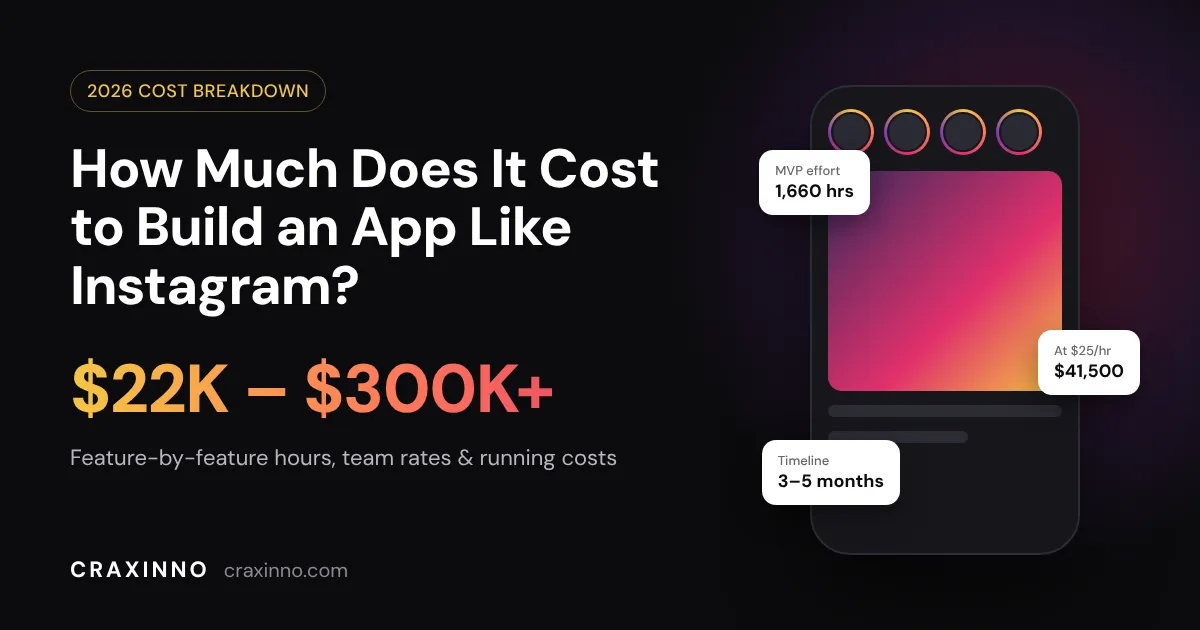 App Development Cost
How Much Does It Cost to Build an App Like Instagram?
Quick answer: The cost to build an app like Instagram is roughly $22,000 to $50,000 for an MVP built by an offshore team at $25/hour, and $150,000 to $300,000 for the same scope with a US agency. A full product with Reels-style video, AI feed ranking and live streaming runs $100,000 to $1M+ , depending on who builds it. That's a wide range, and every agency page you've read gives you a different one. So instead of another vague estimate, we did the math in the open: feature-by-feature hours, the same hours priced at three different rates, and the monthly server bill nobody mentions until after launch. Instagram App Cost at a Glance Build tier What you get Effort At $25/hr (India) At $75/hr (E. Europe) At $150/hr (US) Timeline Basic photo app Profiles, photo upload, filters, follow feed, likes, comments 900–1,200 hrs $22.5K–$30K $67.5K–$90K $135K–$180K 2–3 months Instagram-style MVP Basic + Stories, DMs, Explore, push notifications, admin panel 1,500–2,000 hrs $37.5K–$50K $112.5K–$150K $225K–$300K 3–5 months Full platform MVP + short-video feed, ML ranking, live streaming, ads, shopping 4,000–8,000+ hrs $100K–$200K+ $300K–$600K+ $600K–$1.2M+ 9–18 months Look at that table for a second. The scope in each row is identical across the columns. The only thing that changes is the hourly rate, and it moves the price by 6x. Hold that thought; we'll come back to it. Instagram Was Built by 13 People. Your Clone Still Won't Be Cheap Here's the part that confuses founders. Kevin Systrom and Mike Krieger launched Instagram on iOS on October 6, 2010, and roughly 25,000 people signed up on day one. When Facebook bought it for $1 billion in April 2012, the company had 13 employees. So why does a "simple photo app" cost six figures today? Because the 2010 version of Instagram was a photo feed with filters. That's it. No Stories (added in 2016), no Reels (2020), no DMs worth talking about, no shopping, no ads. Today Instagram has more than 3 billion monthly active users, a figure Meta announced in September 2025 , and the app you're comparing against is fifteen years of features stacked on top of that original feed. You don't need fifteen years of features. You need the 20% your users will open the app for. That's where the budget conversation should start. Feature-by-Feature Cost Breakdown Below is a realistic hour estimate for an Instagram-style MVP built cross-platform (one codebase for iOS and Android) with a backend and admin panel. Your own scope will shift these numbers, but the proportions hold up. Feature What it involves Est. hours Cost at $25/hr Discovery + UI/UX design User flows, wireframes, high-fidelity screens, design system 160 $4,000 Sign-up and profiles Email/phone OTP, Google/Apple login, edit profile, follow/unfollow, private accounts 120 $3,000 Photo and video upload Camera, gallery picker, crop, filters, compression, multiple resolutions 200 $5,000 Home feed Following feed, infinite scroll, caching, pull-to-refresh 140 $3,500 Likes, comments, saves, shares Real-time counters, threaded comments, saved collections 90 $2,250 Search and Explore User and hashtag search, a basic trending grid 100 $2,500 Push notifications Likes, comments, follows, DMs via FCM/APNs 50 $1,250 Direct messaging 1:1 real-time chat over WebSockets, media in chat, read receipts 180 $4,500 Stories 24-hour expiry, viewer list, simple text and sticker overlays 120 $3,000 Admin panel + moderation User management, report queue, content takedown, basic analytics 140 $3,500 Backend, media pipeline, DevOps API, database design, CDN, cloud setup, CI/CD, security 180 $4,500 QA and launch Device testing, load testing, App Store and Play Store submission 180 $4,500 Total 1,660 hrs $41,500 For a sanity check: Cleveroad's published estimate puts the core Instagram features at about 1,180 hours per platform , and that excludes design and the admin panel. Ours lands in the same zone once you account for cross-platform development covering both apps at once. Two lines in that table deserve a closer look. Media upload is never "just an upload." A user picks a 12 MB photo from their gallery. Your app has to crop it, compress it, generate three or four sizes (thumbnail, feed, full screen), push them to storage and serve them through a CDN so the feed doesn't stutter on a 4G connection in a small town. Video multiplies all of that, because now you're transcoding too. DMs are a product inside your product. Real-time messaging means persistent connections, delivery states, offline sync and push fallbacks. Founders routinely underestimate it. If messaging isn't the reason people will use your app, push it to version two. What Makes an Instagram Clone Expensive Some features cost a few thousand dollars. Others quietly double the budget. These are the ones that do the doubling: Short-form video (Reels): Vertical video means transcoding into several bitrates, adaptive streaming, autoplay that doesn't drain the battery, and a much bigger bandwidth bill. Expect 400–700+ hours on its own. AI-ranked feed: A chronological feed is a database query. A ranked feed needs event tracking, a recommendation model, and constant tuning. You can start with simple rules (recency plus engagement) and move to ML once you have enough users to learn from. Live streaming: Low-latency video, live comments, moderation in real time. Most teams buy this from a provider like Agora or Mux rather than building it. Content moderation: Once strangers can post photos, you need automated screening (services like AWS Rekognition flag nudity and violence) plus a human review queue. App stores will reject a social app with no reporting system. Two native apps instead of one cross-platform app: Separate Swift and Kotlin codebases take roughly 1.6–2x the effort of a single cross-platform build, according to Scrums.com's benchmarks . For a social MVP, Flutter or React Native is almost always the better call. Why Your Team's Location Changes the Bill More Than Any Feature Go back to the 1,660-hour MVP. Here's the same scope, same features, same quality bar, priced at typical market rates: Team location Typical hourly rate 1,660-hour MVP India (Craxinno) $25 $41,500 Eastern Europe $50–$75 $83,000–$124,500 Western Europe / UK $80–$120 $132,800–$199,200 United States $150–$200 $249,000–$332,000 The gap between the top and bottom of that table is enough to fund a full year of marketing, or your second and third app versions. We're obviously biased here, since we're a studio in Jaipur billing $25 an hour. But the honest version of this advice is the same one we'd give a friend: rate matters less than whether the team has shipped a social app before and talks to you every week. A cheap team that misjudges the media pipeline will cost you more than an expensive one that doesn't. Ask any vendor to walk you through how they'd handle image compression and feed caching. Their answer tells you more than their rate card. The Cost Nobody Quotes You: Running the App Most "cost to build" articles stop at launch day. Your bills don't. Here's a rough monthly infrastructure estimate for a modest app with 10,000 daily active users , using AWS list prices before discounts or free tiers: Bandwidth (the big one): If each user scrolls through about 100 MB of photos and short clips a day, that's 1 TB a day, or roughly 30 TB a month. At CloudFront's US/Europe rates ($0.085/GB for the first 10 TB, $0.080/GB after that), you're paying around $2,450 a month just to deliver media. Storage: Say users upload 2,000 posts a day at about 5 MB each across all resized versions. That's around 300 GB of new data a month. Even after a full year (about 3.6 TB), S3 Standard at $0.023/GB costs roughly $85 a month . Servers, database, real-time chat, push and moderation APIs: typically another $500–$1,500 a month at this scale. Notice the pattern? Storage is cheap. Serving media is what costs money, and it grows with every user who scrolls. That's why aggressive image compression, WebP/AVIF formats and short-video caps aren't technical nice-to-haves; they come straight off your monthly bill. Then add maintenance. Cubix puts annual maintenance at 15–20% of the original build cost, which matches what we see: OS updates, new device sizes, security patches and bug fixes don't stop. On a $41,500 build, budget roughly $6,000–$8,500 a year for upkeep, separate from new features. Tech Stack for an App Like Instagram A fun fact that tends to reassure founders: Instagram's backend famously started on Django (Python) and PostgreSQL , the same boring, proven tools available to you today. You don't need exotic technology. You need sensible choices. Layer Our usual pick Why Mobile app Flutter or React Native One codebase for iOS and Android, near-native performance Backend API Node.js or Python (Django/FastAPI) Fast to build, huge ecosystem, scales well behind a load balancer Database PostgreSQL + Redis Relational data for users and posts, Redis for feeds, counters and sessions Media storage + delivery Amazon S3 + CloudFront (or Cloudinary) Cheap storage, global CDN, on-the-fly image resizing Real-time chat WebSockets (Socket.io) or Stream Reliable messaging without reinventing it Push notifications Firebase Cloud Messaging + APNs Industry standard, free at the notification layer Moderation AWS Rekognition + human review queue Automated first pass, people for edge cases If you're curious how we use these in practice, our React and Node.js pages go deeper into the stack. How Long Does It Take to Build an App Like Instagram? A basic photo-sharing app takes 2–3 months. An Instagram-style MVP with Stories and DMs takes 3–5 months. A full platform with short video, ML ranking and live streaming takes 9–18 months. Timelines assume a dedicated team of four to six people: a designer, two or three developers, a QA engineer and a project manager. The phase that slips most often isn't coding. It's decisions. A founder who answers "should comments be threaded?" in a day keeps the project on schedule; one who takes two weeks to decide doesn't. Our work process is built around weekly demos for exactly this reason. How to Cut the Cost Without Building a Worse App Pick a niche, not a planet. Instagram for everyone is a billion-dollar fight. Instagram for tattoo artists, home cooks, wedding photographers or college campuses is a product you can launch for under $50,000 and actually win. A niche also cuts features: a recipe-sharing app may not need DMs at all. Launch with the feed, not the kitchen sink. Profiles, upload, feed, likes, comments, notifications. Ship it. Watch what people do. Then build Stories or messaging based on real behavior instead of guesses. Buy the hard parts. Chat, live video and media processing all have mature providers (Stream, Agora, Mux, Cloudinary). Paying a monthly fee is usually far cheaper than 300 hours of custom engineering, at least until you hit serious scale. Go cross-platform. One Flutter or React Native codebase instead of two native apps is the single biggest saving on the mobile side. Use AI-assisted development, with humans in charge. We use AI coding tools daily at Craxinno, and they've cut the time spent on boilerplate, tests and admin screens noticeably. They don't replace architecture decisions, and they won't save a badly scoped project. Should You Build an Instagram Clone at All? Straight answer: a pure clone is a bad business plan. People already have Instagram, and "the same thing, but ours" gives nobody a reason to switch. But "an app like Instagram" is a different idea. A visual feed, follows, likes and short video are proven patterns users already know how to use. Wrap them around a specific community or use case and you get familiarity without the head-to-head fight. That's the version worth paying for. On monetization, one detail catches founders off guard: Apple and Google's 15–30% commission applies to digital goods and subscriptions sold inside the app, not to ad revenue. An ad-supported social app keeps its ad income; a subscription-based one needs to plan for the fee. Frequently Asked Questions How much does it cost to make an app like Instagram? An Instagram-style MVP costs about $22,000–$50,000 with an offshore team at $25/hour, or $150,000–$300,000 with a US agency. A full platform with Reels-style video, AI ranking and live streaming ranges from $100,000 to over $1 million depending on team rates and scope. What is the cheapest way to build an Instagram-like app? Start with a niche MVP built cross-platform in Flutter or React Native, limit version one to profiles, uploads, feed, likes, comments and notifications, and use third-party services for chat and media processing. With a $25/hour team, this lands around $22,000–$30,000. How long does it take to develop an app like Instagram? A basic version takes 2–3 months, an MVP with Stories and DMs takes 3–5 months, and a full-featured platform takes 9–18 months with a dedicated team of four to six people. How much does it cost to run an Instagram-like app every month? For about 10,000 daily active users, expect roughly $3,000–$4,000 a month in infrastructure, mostly bandwidth for delivering photos and video. Maintenance adds 15–20% of the build cost per year. Which is the most expensive feature in an Instagram clone? Short-form video and the recommendation feed. Video needs transcoding, adaptive streaming and heavy bandwidth; an ML-ranked feed needs event tracking and a recommendation model. Each can add hundreds of development hours. Can I build an app like Instagram with Flutter? Yes. Flutter handles feeds, camera access, filters, video playback and real-time chat well, and it lets one codebase ship to iOS and Android, which cuts mobile development effort significantly compared with two native apps. Get a Real Number for Your App Every estimate in this article is a starting point. Your actual cost depends on your niche, your must-have features and how fast you want to launch. Send us your idea and we'll come back with a feature list, an hour-by-hour estimate and a timeline, free and without a sales script. At $25/hour, you'll see exactly where every dollar goes. Talk to the Craxinno team or browse apps we've shipped first.
 SaaS Development
Best Tech Stack for a SaaS Startup in 2026: What We'd Pick and What It Costs
Short answer: The best tech stack for a SaaS startup in 2026, for most teams, is TypeScript end to end : Next.js 16 and React 19 on the front, PostgreSQL (through Supabase or Neon) with Drizzle ORM for data, managed auth, Stripe or a Merchant of Record for billing, Vercel for hosting, and pgvector plus a model API for AI features. Boring on purpose. Boring ships. That's the answer we give founders on discovery calls, and it rarely changes. At Craxinno we've shipped 200+ web apps since 2017, and the stack conversation almost never decides whether a SaaS product succeeds. What it does decide is how fast you can ship the next feature, how easily you can hire, and whether you'll be stuck rewriting your billing code in month 14 instead of selling. So this guide to the best tech stack for a SaaS startup skips the "top 25 frameworks" roundup. You'll get one opinionated default stack, the reasoning behind each layer, what it costs per month, and the specific situations where you should throw our advice out. The 2026 SaaS Tech Stack at a Glance Layer Our default pick Swap it when... Language TypeScript Your product is mostly ML or data work → Python Frontend Next.js 16 + React 19 The app is 100% behind a login and SEO doesn't matter → Vite + React SPA UI Tailwind CSS + shadcn/ui You hire a designer and need a custom design system Backend/API Next.js route handlers, then a Node.js service (Hono or NestJS) Heavy AI pipelines → FastAPI. Very high throughput → Go Database PostgreSQL (Supabase or Neon) Almost never. Seriously ORM Drizzle Your team already knows Prisma well Auth Supabase Auth or Better Auth You want hosted UI in an afternoon → Clerk. Enterprise SSO → WorkOS Payments Stripe You sell globally and don't want to file taxes → Paddle, Lemon Squeezy or Polar. Indian customers paying in INR → Razorpay Hosting Vercel + managed Postgres Steady heavy compute, long jobs or strict compliance → AWS Background jobs Inngest or Trigger.dev High-volume queues → BullMQ on Redis or RabbitMQ Email Resend Very high volume → AWS SES Analytics PostHog You only need traffic stats → Plausible Error tracking Sentry (Rarely worth swapping) AI layer OpenAI / Claude APIs + pgvector RAG, agents or self-hosted models at scale → Python service on GPU infra Now the why, layer by layer. We spend a lot more time on the database and payments than on CSS, because that's where the expensive mistakes live. Why TypeScript End to End Wins for Most SaaS Startups One language from the database schema to the button component. That's the whole argument, and it's a strong one. When your Drizzle schema, your API responses and your React props share the same types, a renamed column breaks the build instead of breaking production. A three-person team can move between frontend and backend tickets without context switching between languages. And hiring is easier: TypeScript and React developers are the deepest talent pool you'll find in India, the US or Eastern Europe. There's a 2026-specific reason too. Most teams now write a big chunk of their code with AI assistants like Claude , Cursor or Copilot. Those tools are noticeably more reliable on mainstream, well-documented stacks than on niche ones, simply because there's far more public TypeScript and Next.js code for them to have learned from. Picking a popular stack is now also picking the stack your AI pair programmer writes best. (The counter-case: if your founding engineer is a Django or Rails veteran who can ship a feature a day, let them. Team fluency beats trend fluency every time. More on that below.) Read more about how we use TypeScript on client projects. Frontend: Next.js 16, With One Honest Caveat Next.js 16 wen t stable on October 21, 2025 , with Turbopack as the default bundler and React 19.2 support. For a SaaS product, it gives you the marketing site, the blog, the docs and the logged-in app in a single codebase, with server rendering where Google needs it and client interactivity where users need it. Pair it with Tailwind CSS and shadcn/ui. You copy components into your repo instead of installing a black-box library, so you own every line and can restyle anything without fighting a theme API. The caveat. Next.js's App Router, server components and caching model have a real learning curve. If your product is a dashboard that lives entirely behind a login, with no public pages that need to rank, a plain Vite + React single-page app is simpler to reason about and cheaper to host. Put your marketing site on a separate Next.js or static build and move on. Database: Just Use PostgreSQL This is the one decision we'd defend in any argument. PostgreSQL was used by 55.6% of all respondents in the 2025 Stack Overflow Developer Survey , and it ranked first for both "admired" (65.5%) and "desired" (46.5%). Popularity isn't the reason to pick it, though. The reason is that Postgres alone covers what used to take three databases: Relational data for users, organizations, subscriptions and invoices JSONB columns for the flexible, schema-light data people used to reach for MongoDB to store Full-text search that's good enough until you have hundreds of thousands of documents Vector search through pgvector, so your AI features don't need a separate vector database on day one Supabase or Neon? Supabase gives you Postgres plus auth, storage and realtime in one dashboard, and its Pro plan is $25/month per organization. Neon is a leaner serverless Postgres with database branching that's handy for preview environments. Both are plain Postgres underneath, which means you can migrate to AWS RDS later with a dump and restore. That exit path matters. Plan multi-tenancy on day one Every B2B SaaS is multi-tenant, and the cheapest time to design for it is before your first table exists. Our default: a shared schema where every tenant-owned table carries an organization_id , enforced with Postgres row-level security. Schema-per-tenant or database-per-tenant only makes sense when an enterprise contract demands data isolation, and you can add it for that one customer later. One production gotcha we see in audits: RLS policies that filter on organization_id without an index on that column. Everything works fine at 1,000 rows and crawls at 1,000,000. Index the tenant column on every table. It's a one-line fix that saves a very bad week. Authentication: Don't Build It Yourself You can write a login form in an hour. You can't write password resets, email verification, rate limiting, session rotation, OAuth, MFA and SAML SSO in an hour, and every one of those will eventually be asked for. Your realistic options in 2026: Supabase Auth if you're already on Supabase. The free plan covers up to 50,000 monthly active users and Pro covers 100,000, which is plenty for most early SaaS products. Better Auth if you want an open-source library that stores everything in your own Postgres, with plugins for organizations and SSO. Clerk if you want polished, prebuilt sign-in UI and are fine paying per user as you grow. WorkOS when your first enterprise prospect asks for SAML SSO and SCIM provisioning. Whichever you pick, model organizations, members and roles from the start. Retrofitting "teams" into an app built around single users is one of the most expensive refactors we get hired for. Payments: Stripe vs. a Merchant of Record (and the India Question) Billing is where SaaS founders lose the most time, so think about it earlier than feels necessary. Stripe is the default for good reason: excellent subscription APIs, a hosted customer portal and the best developer docs in payments. The standard US card rate is 2.9% + 30¢ per successful charge. The catch is that you are the seller, so sales tax, VAT and GST compliance are your problem (Stripe Tax helps, for an extra fee). A Merchant of Record (Paddle, Lemon Squeezy, Polar) becomes the legal seller of your software. They charge more per transaction, but they calculate, collect and remit taxes in every country for you. For a two-person team selling worldwide, that trade is usually worth it. If you're a founder in India , there's one more wrinkle. Stripe moved to invite-only onboarding for new Indian businesses in 2024 . The two common routes: Set up a US entity (Delaware or Wyoming are the usual picks; Craxinno itself runs a US entity out of Cheyenne, Wyoming) and use Stripe or a Merchant of Record for international customers. Use Razorpay for Indian customers paying in INR, including UPI AutoPay for recurring subscriptions. Plenty of Indian SaaS companies end up running both: Razorpay for domestic billing, Stripe or a Merchant of Record for everyone else. Build a thin billing layer in your code so the provider is swappable. We've done enough payment gateway integrations to know that "we'll only ever need one provider" doesn't survive the first enterprise deal. Hosting and Infrastructure: Start Managed, Move When the Bill Tells You To Start on Vercel for the Next.js app and a managed Postgres host for data. Zero servers to patch, preview deployments for every pull request, and deploys that take minutes. One thing founders miss: Vercel's free Hobby plan is restricted to non-commercial, personal use . The moment you charge customers, you need Pro at $20 per developer seat per month. When should you move to AWS ? Watch for these signals: Your Vercel function and bandwidth bill has become a meaningful line item every month You have long-running jobs (video processing, large imports, model inference) that don't fit serverless time limits An enterprise customer or regulation requires a specific data region, a signed BAA or a dedicated VPC You need a mix of always-on workers, queues and GPUs Even then, skip Kubernetes. ECS on Fargate, or a platform like Railway or Fly.io, covers most SaaS workloads well into the millions of requests without a dedicated DevOps hire. The AI Layer Is Now Part of the Default Stack In 2026, customers expect at least one AI feature in a SaaS product: a smart search, a summary, a draft, an agent that does the boring part of the workflow. So plan for it in the architecture instead of bolting it on. Stage 1: call models from your TypeScript backend. Use the Vercel AI SDK (or the official SDKs) to call OpenAI or Anthropic's Claude . Store embeddings in pgvector, in the same Postgres database as everything else. This handles AI search, summarization, chat over your users' data and simple tool-calling agents. Most startups never need to leave this stage. Stage 2: add a Python service when the work gets heavy. Python still owns the AI ecosystem. Once you're building multi-step RAG pipelines, parsing messy PDFs at volume, running evaluations or hosting open-source models on GPU providers like RunPod, stand up a separate FastAPI service. Your Next.js app talks to it over HTTP for quick calls and through a queue (Inngest, BullMQ or RabbitMQ) for long-running jobs. Four habits save real money here: Meter tokens per tenant from the first AI feature. Otherwise one heavy customer quietly eats your margin. Route by difficulty. Send easy tasks to a small, cheap model and escalate only the hard ones. Cache repeated requests. Identical prompts (the same document summary, the same FAQ answer) shouldn't hit the model twice. Log every prompt and output so you can evaluate quality before swapping models. What This SaaS Stack Actually Costs Per Month List prices at the time of writing. Always check the vendor's pricing page before you budget, because these change often. Stage Setup Fixed monthly cost Building / pre-revenue Vercel Hobby, Supabase Free, Resend Free (3,000 emails/month), PostHog and Sentry free tiers $0 First paying customers Vercel Pro (1 seat, $20), Supabase Pro ($25), Resend Pro ($20 for 50,000 emails) ~$65 + AI usage Growing team Add a Vercel seat per developer ($20 each), paid Sentry and PostHog tiers as volume grows, larger database compute Scales with usage, not with a big jump On top of fixed costs you pay variable fees: Stripe's 2.9% + 30¢ per card charge (or a higher Merchant of Record rate) and your LLM token spend. For AI-heavy products, token spend is often the biggest infrastructure line by far, which is why per-tenant metering matters so much. Two warnings. Supabase's free projects pause after 7 days of inactivity, so don't run a demo for investors on one. And Vercel Hobby isn't allowed for commercial use, so budget for Pro on launch day. When You Should Ignore This Stack A default is a starting point, not a rule. Break it when: Your team is already fast in something else. A senior Django, Rails or Laravel developer will ship a SaaS MVP faster in their framework than in a stack they're learning. Their admin panels and conventions are a gift at MVP stage. The core product is AI or data science. If 80% of the work is models and pipelines, go Python-first: FastAPI and Postgres on the backend, a React frontend on top. You need extreme real-time throughput. Trading systems, IoT ingestion or multiplayer collaboration may need Go or Elixir services for the hot path. You're in a regulated industry from day one. Healthcare or fintech products should check every vendor for HIPAA BAAs, SOC 2 reports and data residency options before writing code. AWS-first is often simpler here. 6 Tech Stack Mistakes That Force a Rewrite We see these on almost every rescue project that comes through our door. Microservices on day one. A modular monolith is faster to build, easier to debug and simpler to deploy. Split services only when a specific part has different scaling or team needs. Building auth or billing in-house. Weeks of work, ongoing security liability, zero differentiation. No tenant model. Adding organization_id to 40 tables after launch, while keeping live customer data intact, is miserable. Choosing a database for scale you don't have. You aren't Netflix. Postgres on a modest instance handles more traffic than most SaaS products ever see. Proprietary data APIs without an exit plan. Firebase and similar platforms are quick to start with, but moving off a non-SQL proprietary backend later can mean a full data-layer rewrite. No error tracking or logs until the first outage. Sentry and structured logs take an hour to add. Debugging a production incident blind takes days. Security and Compliance: What to Have Before Your First Enterprise Deal Few stack guides cover this, yet it's exactly what stalls B2B deals. Enterprise buyers will send a security questionnaire. Have answers ready: Encryption in transit (TLS) and at rest (default on Supabase, Neon and RDS) Automated backups with point-in-time recovery, and a restore you've actually tested Role-based access control and audit logs for admin actions SSO/SAML on your roadmap, or available on a higher plan A data processing agreement covering GDPR for EU customers and India's Digital Personal Data Protection Act, 2023 for Indian users A path to SOC 2. Tools like Vanta or Drata make the first audit far less painful when your infra is already on mainstream cloud providers None of this requires a different stack. It requires choosing vendors that publish their own compliance reports, which every tool in our default stack does on its paid plans. How Craxinno Helps SaaS Founders Pick and Ship a Stack We're an AI-first design and development studio based in Jaipur, with a US entity in Wyoming. We've been building web apps, SaaS platforms and AI products since 2017, across Next.js, Node.js, Python (FastAPI, Django), AWS and payment gateway integrations. If you're choosing the best tech stack for a SaaS startup of your own, or you've inherited one that's slowing you down, we'll review it with you and tell you plainly what to keep and what to change. See how we work , browse projects we've shipped , or talk to us about your stack .
 OpenAI API
How to Build a Chatbot with the OpenAI API: Step-by-Step Python Tutorial
How to Build a Chatbot with the OpenAI API: Step-by-Step Python Tutorial Quick answer: To build a chatbot with the OpenAI API, install the openai Python SDK, save your API key in an environment variable, and send each user message to client.responses.create() with your system prompt in instructions . Pass the previous reply's ID back as previous_response_id so the bot remembers the conversation, then stream the output to a web page through a small backend. That's the whole idea. The rest of this tutorial turns it into code you can run in about 20 minutes. One warning first. Search "OpenAI chatbot tutorial" and a good share of the top results still call openai.ChatCompletion.create() . That function was removed when the Python SDK hit version 1.0 back in November 2023, and the SDK is on version 3.29 as of October 2026. Copy that code today and you get an error before your bot says hello. Everything below is written against the current Responses API and tested on openai 3.29.0. What you'll build A support assistant called Ava for a made-up coffee subscription brand, Brewly. By the end you'll have: A terminal chatbot that streams replies word by word and remembers earlier messages. A FastAPI backend that keeps your API key off the browser. A plain HTML chat page that talks to that backend. A clear idea of what each conversation costs you. Python 3.9 or newer and an OpenAI account with billing enabled are all you need. No frameworks like LangChain. You'll understand every line, which matters the first time something breaks in production. Responses API vs Chat Completions vs Assistants: which one? OpenAI has three APIs that can power a chatbot, and older tutorials mix them up. API Status (Oct 2026) Who manages conversation history Use it for Responses API Recommended for all new projects You, or OpenAI via previous_response_id / Conversations New chatbots and agents Chat Completions Still supported You (resend the messages array) Existing apps you don't want to migrate yet Assistants API Listed under legacy APIs OpenAI (threads) Nothing new OpenAI's own migration guide says Responses is "recommended for all new projects," and reports 40–80% better cache utilization than Chat Completions in internal tests. Better cache hits mean lower bills on long chats, which is reason enough for a chatbot. So this tutorial uses the Responses API throughout. Step 1: Set up the project and your API key Create a folder, a virtual environment and install four packages: 1 2 3 4 mkdir openai - chatbot && cd openai - chatbot python - m venv . venv source . venv / bin / activate # Windows : . venv\Scripts\activate pip install openai python - dotenv fastapi uvicorn Generate a key at platform.openai.com → API keys , then create a .env file in the project folder: 1 2 OPENAI_API_KEY = sk - proj - your - key - here OPENAI_MODEL = gpt - 6 - luna Add .env to .gitignore right now, before your first commit. Leaked keys get scraped from public GitHub repos within minutes, and the bill lands on your account. What goes wrong here: if you see OpenAIError: Missing credentials. Please pass an api_key... , the SDK can't find the variable. Check that load_dotenv() runs before OpenAI() is created and that you started Python from the folder containing .env . Step 2: Send your first request Create hello.py : 1 2 3 4 5 6 7 8 9 from dotenv import load_dotenv from openai import OpenAI load_dotenv ( ) client = OpenAI ( ) # reads OPENAI_API_KEY from the environment response = client . responses . create ( model = "gpt-6-luna" , input = "Explain what an API key is in one sentence." , ) print ( response . output_text ) Run python hello.py . If a sentence comes back, your account, key and billing all work. response.output_text is a convenience property that joins all the text the model produced. The full response.output list also holds reasoning items and tool calls, which you'll need later for memory. Which model should a chatbot use? These are the current text models and their prices per 1 million tokens, from OpenAI's models page: Model Input Output Good for gpt-6-luna $0.10 $0.50 FAQ and support bots, high volume, fastest replies gpt-6.1-sol $2 $10 Bots that need to reason over policies, data or code gpt-6-astra $10 $50 Hard, high-value queries where accuracy beats cost Our take: start every chatbot on Luna. Most customer-facing questions ("where's my order?", "can I change my plan?") don't need a frontier model, and Luna costs 1/20th of Sol. Upgrade only the conversations that need it. Because the model name lives in .env , switching is a one-line change. Step 3: Give the bot a personality and rules with a system prompt Without instructions, the model answers anything about anything. A support bot needs a job description. In the Responses API, that goes in the instructions parameter: 1 2 3 4 5 6 7 8 9 10 11 SYSTEM_PROMPT = """You are Ava, the support assistant for Brewly, an online coffee subscription. - Only answer questions about orders, subscriptions, shipping and coffee. - Keep replies under 80 words unless the user asks for more detail. - If you are not sure, say so and point the user to help@brewly.example. - Never invent order numbers, prices or delivery dates.""" response = client . responses . create ( model = "gpt-6-luna" , instructions = SYSTEM_PROMPT , input = "Can I pause my subscription for a month?" , ) print ( response . output_text ) A few things we've learned writing system prompts for client bots: Rules beat adjectives. "Keep replies under 80 words" works. "Be concise" gets interpreted loosely. Tell it what to do when it doesn't know. The fallback line (email support) is what stops a bot from making up a refund policy. Ban the specific lies. Order numbers and delivery dates are what support bots most love to invent, so the prompt names them. If you want to go deeper on wording, our guide to prompt engineering covers structure and testing. Step 4: Add conversation memory (three ways) Ask the bot from Step 3 "Can I pause my plan?", then follow up with "What about two months?" It has no idea what you mean. Every API call starts with a blank slate, because the model is stateless. You have three ways to fix that. Approach How it works Where history lives Best for A. Manual history Append every message and reply to a list, send the whole list each time Your app Full control, store=False for sensitive data B. previous_response_id Pass the last reply's ID; OpenAI fills in the earlier turns OpenAI (responses kept 30 days by default) Terminal bots, short sessions C. Conversations API Create a conversation object once, attach every response to it OpenAI (no 30-day expiry) Web apps where users come back later One thing none of the three changes: you pay for the history every turn. OpenAI's docs say it directly: with previous_response_id , "all previous input tokens for responses in the chain are billed as input tokens." Server-side memory saves you code, not tokens. Option A: manual history (stateless) 1 2 3 4 5 6 7 8 9 10 11 history = [ ] def ask ( user_text ) : history . append ( { "role" : "user" , "content" : user_text } ) response = client . responses . create ( model = "gpt-6-luna" , instructions = SYSTEM_PROMPT , input = history , store = False , # nothing kept on OpenAI's side ) history . extend ( response . output ) # keep ALL output items, not just the text return response . output_text Note history.extend(response.output) . OpenAI's conversation-state guide says to keep every output item so reasoning items stay intact. Appending only output_text as a string works on simple models and quietly degrades answers on reasoning ones. Option B: previous_response_id (the terminal chatbot) This is the full, runnable terminal bot. Save it as chat.py : 1 2 3 4 5 6 7 8 9 10 11 12 13 14 15 16 17 18 19 20 21 22 23 24 25 26 27 28 29 30 31 32 33 34 35 36 37 import os from dotenv import load_dotenv from openai import OpenAI load_dotenv ( ) client = OpenAI ( ) MODEL = os . getenv ( "OPENAI_MODEL" , "gpt-6-luna" ) SYSTEM_PROMPT = """You are Ava, the support assistant for Brewly, an online coffee subscription. - Only answer questions about orders, subscriptions, shipping and coffee. - Keep replies under 80 words unless the user asks for more detail. - If you are not sure, say so and point the user to help@brewly.example. - Never invent order numbers, prices or delivery dates.""" def main ( ) : previous_id = None print ( "Ava is ready. Type 'quit' to exit.\n" ) while True : user_text = input ( "You: " ) . strip ( ) if user_text . lower ( ) in { "quit" , "exit" } : break if not user_text : continue stream = client . responses . create ( model = MODEL , instructions = SYSTEM_PROMPT , # resend every turn input = user_text , previous_response_id = previous_id , reasoning = { "effort" : "low" } , stream = True , ) print ( "Ava: " , end = "" , flush = True ) for event in stream : if event . type == "response.output_text.delta" : print ( event . delta , end = "" , flush = True ) elif event . type == "response.completed" : previous_id = event . response . id print ( "\n" ) if __name__ == "__main__" : main ( ) Run python chat.py , ask about pausing, then ask "what about two months?" Ava now knows what "that" refers to. See the comment # resend every turn ? That's the bug that catches almost everyone. The SDK documentation says that with previous_response_id , "the instructions from a previous response will not be carried over to the next response." Send instructions only on the first call and by turn three Ava has forgotten she's a coffee bot and will happily write you a cover letter. Option C: the Conversations API For a web app, a user might close the tab and come back tomorrow. A conversation object survives that, and unlike stored responses it isn't subject to the 30-day TTL: 1 2 3 4 5 6 7 conversation = client . conversations . create ( ) response = client . responses . create ( model = "gpt-6-luna" , instructions = SYSTEM_PROMPT , input = "Can I pause my plan?" , conversation = conversation . id , ) Save conversation.id against your user record and pass it back on every message. We'll use this in the web version. Step 5: Stream replies instead of waiting You already saw streaming in chat.py , but it deserves its own section because it changes how the bot feels more than any model upgrade. Without streaming, the user types a question and stares at nothing for two, three, four seconds while the whole answer generates. Then a wall of text appears. With streaming, the first words show up almost immediately and the reply types itself out. Same total time. Completely different experience. The mechanics are two lines: pass stream=True , then loop over events and print the ones of type response.output_text.delta . Other events you'll see include response.created , response.completed (which carries the final response object and its ID) and error . Step 6: Put the chatbot on a web page with FastAPI Here's where a lot of tutorials go wrong. They call the OpenAI API straight from browser JavaScript, which means shipping your API key to every visitor. Anyone who opens dev tools can copy it and run up your bill. The fix is a thin backend. The browser talks to your server; only your server talks to OpenAI. Create app.py : 1 2 3 4 5 6 7 8 9 10 11 12 13 14 15 16 17 18 19 20 21 22 23 24 25 26 27 28 29 30 31 32 33 34 35 36 37 38 39 40 41 import os from dotenv import load_dotenv from fastapi import FastAPI from fastapi . responses import FileResponse , StreamingResponse from openai import OpenAI from pydantic import BaseModel , Field load_dotenv ( ) client = OpenAI ( timeout = 30 , max_retries = 3 ) MODEL = os . getenv ( "OPENAI_MODEL" , "gpt-6-luna" ) SYSTEM_PROMPT = """You are Ava, the support assistant for Brewly, an online coffee subscription. - Only answer questions about orders, subscriptions, shipping and coffee. - Keep replies under 80 words unless the user asks for more detail. - If you are not sure, say so and point the user to help@brewly.example. - Never invent order numbers, prices or delivery dates.""" app = FastAPI ( ) class ChatIn ( BaseModel ) : conversation_id : str message : str = Field ( min_length = 1 , max_length = 2000 ) @app . get ( "/" ) def home ( ) : return FileResponse ( "index.html" ) @app . post ( "/conversations" ) def new_conversation ( ) : conversation = client . conversations . create ( ) return { "conversation_id" : conversation . id } @app . post ( "/chat" ) def chat ( body : ChatIn ) : def generate ( ) : stream = client . responses . create ( model = MODEL , instructions = SYSTEM_PROMPT , input = body . message , conversation = body . conversation_id , reasoning = { "effort" : "low" } , max_output_tokens = 800 , stream = True , ) for event in stream : if event . type == "response.output_text.delta" : yield event . delta return StreamingResponse ( generate ( ) , media_type = "text/plain" ) Three small details doing real work here: max_length=2000 on the message stops someone pasting a novel into your bot and charging you for it. FastAPI rejects it with a 422 before OpenAI is ever called. max_output_tokens=800 caps the reply cost. Reasoning tokens count toward this limit, so don't set it too tight or replies get cut off. OpenAI(timeout=30, max_retries=3) raises the SDK's default of 2 automatic retries, which covers most brief rate-limit and network blips. Now the front end. Create index.html in the same folder: 1 2 3 4 5 6 7 8 9 10 11 12 13 14 15 16 17 18 19 20 21 22 23 24 25 26 27 28 29 30 31 32 33 34 35 36 37 38 39 40 41 42 43 44 45 46 47 48 <! doctype html > < html lang = " en " > < head > < meta charset = " utf-8 " > < title > Brewly Assistant </ title > </ head > < body > < div id = " log " > </ div > < form id = " chat-form " > < input id = " msg " autocomplete = " off " placeholder = " Ask about your order... " > < button > Send </ button > </ form > < script > const log = document.getElementById("log"); let conversationId = null; function addLine(who, text) { const p = document.createElement("p"); p.textContent = `${who}: ${text}`; // textContent, never innerHTML log.appendChild(p); return p; } document.getElementById("chat-form").addEventListener("submit", async (e) => { e.preventDefault(); const input = document.getElementById("msg"); const text = input.value.trim(); if (!text) return; input.value = ""; if (!conversationId) { const res = await fetch("/conversations", { method: "POST" }); conversationId = (await res.json()).conversation_id; } addLine("You", text); const botLine = addLine("Ava", ""); const res = await fetch("/chat", { method: "POST", headers: { "Content-Type": "application/json" }, body: JSON.stringify({ conversation_id: conversationId, message: text }), }); const reader = res.body.getReader(); const decoder = new TextDecoder(); let reply = ""; while (true) { const { done, value } = await reader.read(); if (done) break; reply += decoder.decode(value, { stream: true }); botLine.textContent = `Ava: ${reply}`; } }); </ script > </ body > </ html > Start the server: 1 uvicorn app : app -- reload Open http://127.0.0.1:8000 and chat. That's a working, streaming, memory-aware chatbot in roughly 130 lines across two files. (The textContent comment isn't decoration. Model output rendered with innerHTML is an XSS hole: a user can talk the bot into returning a <script> tag. If you later want Markdown formatting, run it through a sanitizer such as DOMPurify first.) For a production widget with a launcher bubble, mobile layout and analytics, see our walkthrough on how to add AI chat to your website . How much does an OpenAI chatbot cost to run? Less than most people expect, if you pick the model deliberately. Take a typical support chat: a 300-token system prompt, 10 back-and-forth turns, user messages around 50 tokens and replies around 150. Because earlier turns are re-billed as input each time, the 10 turns add up to roughly 12,500 input tokens and 1,500 output tokens. Model Cost per 10-turn conversation Cost per 10,000 conversations gpt-6-luna ~$0.002 ~$20 gpt-6.1-sol ~$0.04 ~$400 gpt-6-astra ~$0.20 ~$2,000 These are estimates from list prices. They leave out reasoning tokens (billed as output) and cached-input discounts, which push in opposite directions. Measure your real numbers from response.usage after a week of traffic. The pattern that matters: cost grows with conversation length , not just count, because every turn re-sends the history. Two ways to keep long chats in check: Trim manual history. With Option A, keep the system prompt plus the last 10–20 items. Turn on server-side compaction. Pass context_management=[{"type": "compaction", "compact_threshold": 200000}] and OpenAI compresses older context once the conversation crosses that token count. Our full playbook on reducing LLM API costs covers caching, routing and batching in more depth. If you're budgeting a whole project rather than API calls, see what an AI chatbot costs to build in 2026 . Common mistakes (and the fix for each) AttributeError: module 'openai' has no attribute 'ChatCompletion' You copied pre-2023 code. Use client = OpenAI() and client.responses.create() . 400 Bad Request mentioning temperature GPT-6 models don't accept temperature , top_p or top_logprobs while reasoning is switched on. Remove them. Control tone through the system prompt instead. (On Luna you can set reasoning={"effort": "none"} if you really need sampling controls.) The bot forgets its role after a few messages You only sent instructions on the first call. With previous_response_id , resend them every turn. Replies stop mid-sentence max_output_tokens is too low. Reasoning tokens eat into it before visible text does. Raise the cap or lower the reasoning effort. RateLimitError (429) under load The SDK retries automatically, but sustained traffic needs a queue or per-user rate limit on your side. Check your usage tier in the OpenAI dashboard. Before you go live: a short production checklist The tutorial bot works. A public bot needs a bit more: Authenticate users and rate-limit per user. An open /chat endpoint is a free LLM for the whole internet. Send a safety_identifier . It's a stable per-user ID (OpenAI recommends hashing the email or username) that helps OpenAI detect abuse coming through your app without flagging your whole account. Decide on data retention. Responses are stored for 30 days by default. For health, finance or other sensitive data, use manual history with store=False . Log every conversation on your side. You can't improve a prompt you can't read. Review 20 real chats a week and you'll find the gaps fast. Write a test set. Twenty questions with expected answers, run after every prompt change, catches regressions before customers do. Give the bot real knowledge. A system prompt can't hold your entire help center. That's what retrieval is for. Where to go next: from chatbot to something useful Right now Ava is polite but knows nothing about Brewly's actual policies or orders. The next two upgrades fix that: Retrieval-augmented generation (RAG) lets the bot answer from your own documents. Upload them to a vector store and give the model the file_search tool, or build your own pipeline. Start with how RAG works , and if you're weighing it against training a custom model, read RAG vs fine-tuning . Function calling lets the bot do things: look up an order, pause a subscription, book a call. At that point it stops being a chatbot and starts being an agent. Here's the difference in practice: AI agents vs chatbots . Need a chatbot built for your business? This tutorial gets you a working prototype in an afternoon. Getting from prototype to a bot that knows your products, connects to your CRM or order system, and holds up under real traffic is where most of the work lives. That's the work our AI development team does: RAG chatbots, support agents and LLM integrations built in Python and FastAPI and shipped to production. Tell us what you're building and we'll tell you honestly whether you need us or this tutorial is enough.

© 2026 — Craxinno Technologies